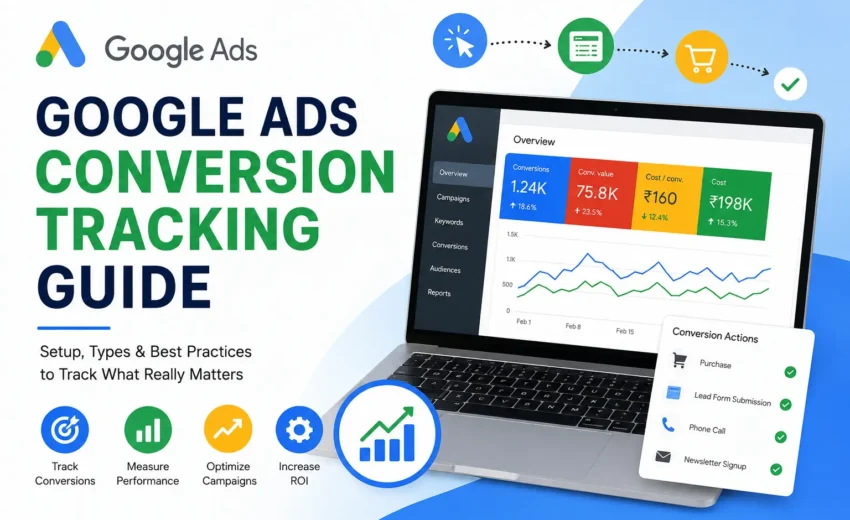
Google Ads can drive thousands of visitors to your website, but clicks alone don’t tell you whether your advertising is actually working. The real measure of success is what users do after they click your ad. Do they make a purchase, submit a contact form, call your business, or book an appointment? This is where Google Ads Conversion Tracking becomes essential.
Conversion tracking helps you measure valuable customer actions and understand which campaigns, keywords, ads, and audiences generate real business results. More importantly, it provides the data that Google’s AI-powered features, such as Smart Bidding and Performance Max, use to optimize your campaigns.
In this guide, you’ll learn what Google Ads Conversion Tracking is, why it matters, the different types of conversions you can track, how to set it up, and the best practices for accurate measurement.
What Is Google Ads Conversion Tracking?
Google Ads Conversion Tracking is a free feature that measures important actions users take after interacting with your ads. These actions, known as conversions, represent the goals that matter most to your business.
A conversion can be:
- Purchasing a product
- Filling out a contact form
- Calling your business
- Booking an appointment
- Signing up for a newsletter
- Downloading a brochure or eBook
- Registering for an event
Instead of focusing only on clicks and impressions, conversion tracking shows whether your advertising investment is generating meaningful results.
For example, imagine you run a hotel and advertise through Google Ads. If 300 people click your ad but only 15 complete a room reservation, conversion tracking helps identify which campaign, keyword, or ad generated those bookings. This information allows you to invest more in what’s working and improve or pause campaigns that aren’t delivering results.
Why Is Google Ads Conversion Tracking Important?
Without conversion tracking, it’s difficult to know whether your advertising budget is being spent effectively. A campaign with thousands of clicks may seem successful, but if those visitors never become customers, the campaign isn’t achieving its objective.
Conversion tracking helps you:
- Measure return on investment (ROI)
- Identify high-performing keywords and ads
- Understand which audiences convert best
- Improve Smart Bidding performance
- Reduce wasted advertising spend
- Make data-driven marketing decisions
Google’s automated bidding strategies also rely heavily on conversion data. Features like Maximize Conversions, Target CPA, and Target ROAS analyze previous conversion data along with real-time auction signals to predict which users are more likely to convert. The more accurate your conversion tracking, the better Google’s AI can optimize your campaigns.
Types of Google Ads Conversions
Google Ads supports multiple types of conversion actions depending on your business goals.
Website Conversions
Website conversions are the most common type of tracking. They measure actions users complete on your website, such as purchases, contact form submissions, newsletter subscriptions, account registrations, or appointment bookings.
For most businesses, these are the primary conversions used to evaluate campaign success.
Phone Call Conversions
If phone calls generate leads or sales for your business, Google Ads can track calls made directly from your ads, Call Assets, or phone numbers displayed on your website.
Phone call tracking is especially valuable for local businesses like hotels, clinics, restaurants, taxi services, and home service providers.
App Conversions
Businesses promoting mobile applications can track installs, in-app purchases, subscriptions, and other important user actions. This helps optimize App Campaigns for higher engagement and revenue.
Offline Conversions
Some businesses generate leads online but complete sales offline. For example, real estate agencies, insurance companies, educational institutions, and B2B businesses often finalize deals after phone calls or in-person meetings.
Google Ads allows you to import offline conversion data so your campaigns can be optimized based on actual sales rather than just online leads.
Imported Conversions
Google Ads also supports importing conversion data from platforms such as Google Analytics 4 (GA4) or customer relationship management (CRM) systems.
While imported conversions can provide valuable insights, many advertisers prefer native Google Ads conversion tracking because it sends data directly to Google Ads without requiring an additional import step.
How to Set Up Google Ads Conversion Tracking
Setting up conversion tracking is straightforward, especially if you use Google Tag Manager (GTM).
Step 1: Create a Conversion Action
In your Google Ads account, navigate to Goals > Conversions and create a new conversion action. Select the type of conversion you want to track, such as a website purchase, lead form submission, phone call, or app install.
Configure important settings like the conversion category, value, and whether Google should count one conversion or every conversion.
Step 2: Install the Google Tag
Next, install the Google Tag, which serves as the foundation for Google Ads measurement. It can be added directly to your website or deployed through Google Tag Manager.
For most businesses, Google Tag Manager is the preferred option because it allows you to manage tracking tags without editing website code every time you need to make changes.
Step 3: Configure the Conversion Event
Create a conversion tracking tag using the Conversion ID and Conversion Label provided by Google Ads. Then configure the trigger that tells Google when a conversion has occurred, such as a successful purchase, form submission, or thank-you page visit.
Step 4: Test Your Setup
Before launching your campaign, verify that everything works correctly using Google Tag Assistant or Google Tag Manager Preview Mode.
Perform a test conversion yourself and confirm that the event is recorded successfully. Testing helps identify missing tags, incorrect triggers, or duplicate tracking before you start spending on ads.
Step 5: Monitor Performance
After publishing your tags, monitor the Conversions section in Google Ads to ensure data is being recorded correctly. New conversion actions may take several hours before showing activity, so don’t expect immediate reporting.
Best Practices for Accurate Conversion Tracking
Simply installing conversion tracking isn’t enough. Following best practices ensures your reports remain accurate and useful for campaign optimization.
Track Meaningful Business Goals
Only track actions that genuinely contribute to your business objectives. Purchases, qualified leads, bookings, and phone calls are usually more valuable than page views or button clicks.
Enable Enhanced Conversions
Enhanced Conversions improve measurement accuracy by securely using hashed first-party customer data, such as email addresses or phone numbers. This helps recover conversions that may be missed due to browser privacy restrictions and provides better data for Google’s automated bidding systems.
Assign Accurate Conversion Values
If you’re running an eCommerce store, use dynamic conversion values so Google Ads receives the actual purchase amount rather than a fixed value. This allows you to measure Return on Ad Spend (ROAS) more accurately.
Test Tracking Regularly
Website updates, plugin changes, or new landing pages can accidentally break conversion tracking. Make it a habit to test your tracking setup regularly using Google Tag Assistant or GTM Preview Mode.
Review Primary and Secondary Conversions
Use Primary Conversions for actions you want Google’s bidding strategies to optimize toward, such as purchases or qualified leads. Less important actions, like newsletter signups, can be recorded as Secondary Conversions for reporting purposes without influencing automated bidding.
Common Mistakes to Avoid
Even experienced advertisers can make mistakes that affect campaign performance.
One common mistake is tracking every user interaction as a conversion. If every button click or page visit is counted as a conversion, Google’s bidding strategies may optimize for low-value actions instead of meaningful business outcomes.
Another frequent issue is failing to test conversion tracking before launching a campaign. Incorrect triggers, duplicate tags, or missing tracking codes can result in inaccurate reporting and poor optimization.
Some advertisers also ignore Enhanced Conversions or forget to update tracking after redesigning their website. Small technical changes can prevent conversion events from firing correctly, so it’s important to review your setup whenever significant website updates are made.
Finally, avoid assigning the same value to every conversion if your sales have different values. Accurate conversion values help Google optimize campaigns based on revenue instead of simply maximizing the number of conversions.
Final Thoughts
Google Ads Conversion Tracking is the foundation of successful Google Ads campaigns. It helps you understand what happens after someone clicks your ad and provides the data needed to measure ROI, improve campaign performance, and make smarter marketing decisions.
Whether you’re generating leads, selling products online, or promoting mobile apps, accurate conversion tracking allows Google’s AI to optimize your campaigns more effectively. By setting up meaningful conversion actions, testing your implementation, and following best practices, you’ll gain more reliable insights and maximize the value of your advertising budget.
Investing time in proper conversion tracking today can lead to better optimization, lower acquisition costs, and stronger long-term campaign performance.
Alfik P S
hi