You published a blog post a year ago.
At first, it performed well. Google was sending visitors, your rankings looked good, and you were happy with the result.
Then something changed.
The clicks started falling. Some keywords moved down. New competitors appeared in the search results.
Your first thought might be:
“I need to update the article.”
Maybe.
But not every traffic drop means your content needs a rewrite.
The real question is:
Why did the page lose traffic, and what does it actually need now?
It could need a content refresh. It could need a complete rewrite. It could overlap with another page. Or the problem might not be the content at all.
That’s why SEO content refreshing should start with investigation, not editing.
What Is an SEO Content Refresh?
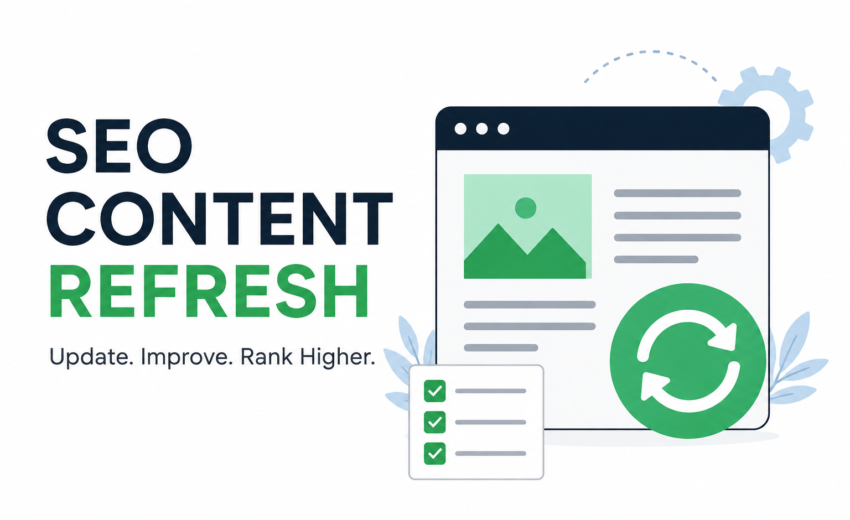
An SEO content refresh means reviewing and improving an existing page so it remains useful, accurate, relevant, and aligned with what people are looking for today.
A refresh might include:
- Updating outdated information
- Replacing old examples
- Adding missing information
- Improving unclear sections
- Updating statistics and references
- Fixing broken links
- Improving headings and structure
- Adding useful internal links
- Removing information that no longer helps the reader
But there’s an important point:
Don’t update an article simply because it’s old.
Google’s people-first guidance focuses on content that provides useful, reliable information and satisfies the reader, rather than content created mainly to attract search traffic.
So the goal isn’t to make an article look newer.
The goal is to make it better.
Why Do Old Blog Posts Lose Traffic?
There isn’t one universal reason.
A page can lose traffic because:
- The information has become outdated.
- Competitors have created better content.
- Search intent has changed.
- The topic has become less popular.
- The search results have changed.
- Another page on your website better satisfies the query.
- The page has technical or indexing problems.
- Users are clicking competitors more often.
This is why immediately rewriting the article can be a mistake.
Google recommends looking at which pages and search types were affected when investigating traffic changes.
First find the problem. Then choose the solution.
Step 1: Find Pages That Actually Need Attention
You don’t need to refresh every article on your website.
Start with pages showing a clear reason for review.
Look for articles that:
- Previously generated organic traffic but have declined
- Have strong impressions but relatively few clicks
- Rank for valuable queries but have lost visibility
- Contain information that is no longer current
- Don’t fully answer the searcher’s question
- Are missing important sections
- Have outdated links or references
- Are clearly weaker than the current search results
One of the easiest places to investigate is Google Search Console.
Its Performance report lets you examine clicks, impressions, CTR, average position, queries, and pages. You can also compare different time periods.
Step 2: Compare the Data Before Editing
Suppose an article received:
5,000 impressions → 2,000 clicks
last year.
Now it receives:
5,500 impressions → 1,000 clicks.
The page is still appearing in Google, but fewer people are clicking.
That’s different from a situation where both impressions and clicks have dropped significantly.
Search Console lets you compare periods and identify pages or queries with significant changes.
This doesn’t automatically tell you why the page changed.
It tells you where to investigate.
A simple way to think about it
Impressions down:
Investigate visibility, demand, competition, indexing, and search trends.
Impressions stable but clicks down:
Look at the SERP, title, snippet, and whether the result still matches what searchers want.
Rankings down:
Compare your page with current competitors and investigate what changed.
Don’t treat these as automatic diagnoses. They’re starting points for investigation.
Step 3: Check What Google Shows Today
This is one of the most important parts of a content refresh.
Don’t open your old article and start adding paragraphs immediately.
First, search the important queries the page appears for.
Look at the current results.
Ask yourself:
- What type of content is ranking?
- Are the results mostly guides, lists, product pages, or comparisons?
- Has the search intent changed?
- Are competitors covering important information that my page doesn’t?
- Is their information more current?
- Does my article still answer the main question?
Imagine you have an article called:
“Best SEO Tools for Beginners.”
You published it two years ago.
Today, the top results might contain newer tools, updated features, current pricing information, and different recommendations.
Simply adding 500 words won’t necessarily solve the problem.
You may need to rethink the article’s structure and information.
Step 4: Decide What the Page Actually Needs
Once you’ve investigated the page, choose the right action.
Refresh
Use a refresh when the article is fundamentally useful but needs updates.
For example:
- New statistics
- Updated tools
- New examples
- Updated screenshots
- Better explanations
Rewrite
A rewrite makes more sense when the existing article is fundamentally weak or no longer matches the search intent.
You may need to restructure most of the article rather than making small edits.
Consolidate
Sometimes two articles on your website cover almost the same topic.
Instead of maintaining two weak pages, you may be better off creating one stronger resource.
Redirect or remove
If a page no longer has a useful purpose and another relevant page can serve the user better, a redirect or removal may be appropriate.
The important lesson is:
Don’t decide the solution before understanding the problem.
Step 5: Update What Actually Matters
Once you’ve decided to refresh the page, start with the reader.
Update outdated information
If you’re discussing tools, features, prices, statistics, laws, or other time-sensitive information, verify that the information is still correct.
Add missing information
Look at the current search results and questions from your audience.
Is there something important your article doesn’t explain?
Add it if it genuinely improves the page.
Improve weak sections
If a section gives a vague two-sentence answer to an important question, make the explanation clearer and more useful.
Replace old examples
An example that made sense two years ago may no longer be relevant.
Improve the structure
Use clear headings, shorter sections, lists where appropriate, and logical progression.
Check links
Fix broken links and replace outdated references where necessary.
Review the title
If the page receives impressions but fewer clicks, check whether the title accurately communicates what the reader will get.
Search Console provides CTR data that can help you identify pages where users are seeing your result but clicking less often.
Don't Just Change the Publication Date
This is one of the easiest mistakes to make.
Imagine an article was published in 2024.
You make two tiny changes and then change:
“Published: 2024”
to:
“Updated: 2026.”
That doesn’t make the article meaningfully fresher.
Google’s guidance specifically warns against changing dates simply to make content appear fresh when the content hasn’t substantially changed.
If you show an updated date, the page should actually have been reviewed and meaningfully improved.
Update the content first. Update the date only when it accurately represents that work.
A Simple Content Refresh Example
Imagine you have an article:
“Best SEO Tools for Beginners”
It used to receive good organic traffic, but performance has declined.
Instead of immediately rewriting it, you investigate.
First: Search Console
You compare the page’s recent performance with an earlier period.
You notice impressions are still healthy, but clicks have fallen.
Second: Check Google
You search the main queries.
The current results contain newer tools and more detailed comparisons.
Third: Review your article
You discover:
- Some tools are outdated.
- Several features have changed.
- Your examples are old.
- Important beginner questions aren’t answered.
- The article structure is difficult to scan.
Then you refresh it
You:
- Remove outdated information
- Verify the current tools
- Update examples
- Add missing questions
- Improve the structure
- Review internal links
- Rewrite unclear sections
That’s a real content refresh.
You didn’t add words simply for SEO.
You improved the page because the reader’s needs and the search landscape had changed.
When Should You Leave an Article Alone?
This is something beginners often overlook.
A page being old doesn’t automatically mean it needs updating.
You might find that:
- Traffic is stable.
- The information is still accurate.
- The page satisfies the current intent.
- The SERP hasn’t changed significantly.
- The page is still useful to readers.
In that situation, changing the article just because it is old could create unnecessary work—or even make a good page worse.
Google recommends focusing on trends in clicks and impressions rather than relying on position alone when assessing performance.
Sometimes the best SEO decision is:
Don’t change it.
A Beginner-Friendly Content Refresh Workflow
If you’re new to SEO, use this process:
1. Find the page
Identify an article with declining performance or outdated information.
2. Check Search Console
Look at clicks, impressions, CTR, queries, and trends.
3. Compare periods
Compare a meaningful period with an earlier comparable period.
4. Check Google
Search the important queries and study the current results.
5. Find the real problem
Is it outdated information? Search intent? Competition? Content quality? Something technical?
6. Choose the solution
Refresh → Rewrite → Consolidate → Redirect → Leave alone
7. Improve the page
Update only what genuinely makes the resource better.
8. Monitor it
After publishing the changes, continue watching the page’s performance.
Search Console allows you to track changes over time and compare performance across different periods and dimensions.
Common Content Refresh Mistakes
Updating every old article
Not every old page needs an update.
Changing only the date
A new date isn’t new content.
Adding words just to increase word count
More content doesn’t automatically mean better content.
Copying competitors
Competitor research should help you understand what users expect, not encourage you to reproduce someone else’s article.
Ignoring search intent
If Google now shows a different type of result, adding more information may not be enough.
Making changes without checking data
Use Search Console and the current SERP to understand what actually changed.
Expecting guaranteed ranking improvements
A content refresh can improve usefulness, but there is no guarantee that rankings or traffic will increase.
Google’s guidance makes clear that following best practices does not guarantee that a page will rank or that a particular change will produce a specific result.
Content Refresh Checklist
Before republishing an updated article, ask:
- Is the information still accurate?
- Does it match the current search intent?
- Are important questions missing?
- Are the examples still relevant?
- Are statistics and references verified?
- Are the links working?
- Is the structure easy to follow?
- Does the title accurately describe the page?
- Did I improve the page for the reader?
- Did I make meaningful changes rather than simply changing the date?
If most answers are yes, you’re doing more than a cosmetic update.
You’re performing a real content refresh.
Final Thoughts
An old blog post isn’t automatically a bad blog post.
And a traffic drop doesn’t automatically mean you need to rewrite it.
The smarter approach is to investigate first.
Check your Search Console data. Look at the queries bringing impressions. Compare time periods. Then search Google and see what the current results look like.
Once you understand the problem, choose the right action.
Maybe the page needs a small refresh.
Maybe it needs a complete rewrite.
Maybe two overlapping articles should become one stronger resource.
Or maybe the page doesn’t need changing at all.
The goal isn’t to make every old article look new.
The goal is to make your existing content more accurate, more useful, and more relevant to the people you’re trying to help.
So before you open an old article and start adding more words, ask yourself:
“What has changed—and what can I do to make this page genuinely better today?”
That’s the question that turns a simple content update into a proper SEO content refresh.

Alfik P S
hi
August 18, 2026
Long-Tail Keywords: The SEO Opportunities Your Competitors Miss

August 18, 2026