
Keyword research is one of the first things you learn when you start working in SEO. You find keywords, check their search volume and competition, and build a list of terms that are relevant to a business.
But after collecting all those keywords, a common question comes up:
What do I do with them now?
Do I create a new page for every keyword? Should several keywords be added to one page? Which keyword should be the main focus of a page?
This is where keyword mapping becomes important.
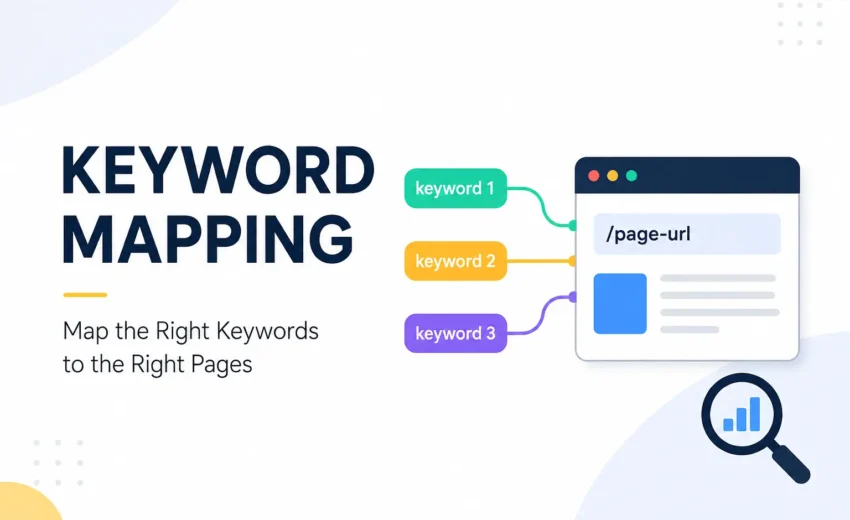
Keyword mapping is the process of assigning relevant keywords to the most appropriate pages on a website. In simple terms, it helps you decide which page should target which search.
A good keyword map gives every important topic a clear place on your website and helps prevent your content strategy from becoming disorganized.
Why Keyword Mapping Matters in SEO
Finding a good keyword does not automatically mean you should create a new page.
For example, you might already have a page about SEO services, and during new keyword research you discover terms such as:
- SEO agency
- SEO company
- SEO service provider
- professional SEO services
These keywords may be closely related and could potentially be covered by the same page, depending on their search intent and the current search results.
Without keyword mapping, you might create several pages that answer almost the same question.
Over time, this can make your website harder to organize and may create overlapping keyword targets.
Keyword mapping helps you make a more deliberate decision about which page should be responsible for each topic.
Keyword Research and Keyword Mapping Are Different
It’s easy to confuse these two processes.
Keyword research is about discovering what people search for.
For example:
local SEO services
SEO audit
Keyword mapping comes after that. It is about deciding where those keywords belong.
For example:
- SEO services in Kochi → SEO services page
- local SEO services → Local SEO page
- SEO audit → SEO audit guide
So you can remember it this way:
Keyword research finds the opportunities. Keyword mapping assigns those opportunities to pages.
Don't Follow the "One Keyword, One Page" Rule
A beginner may assume that every keyword needs a separate URL.
That’s not necessary.
Search engines can rank one page for many related queries when the page genuinely satisfies those searches.
For example, a page about local SEO services could naturally be relevant to searches such as:
- local SEO agency
- local SEO company
- local search optimization
- Google Maps SEO
You don’t need to create a separate page for every variation.
The better question is:
Can one page provide a complete and useful answer for these searches?
If the answer is yes, keeping them together may make more sense.
Search Intent Should Guide Your Mapping
One of the most important things to consider when mapping keywords is search intent.
Search intent means the reason behind a search.
Someone searching “what is SEO” is probably trying to learn.
Someone searching “SEO services” may be looking for a company or service.
Someone searching “best SEO tools” may be comparing different options.
Even when keywords contain similar words, their intent can be different.
That’s why keyword mapping should not be based only on keyword wording.
Before assigning a keyword to a page, ask:
What is the person actually looking for?
Then check whether your existing or planned page can satisfy that need.
How to Map Keywords to Pages
You don’t need a complicated process to get started.
1. Collect your keywords
Use tools such as Google Keyword Planner, Google Search Console, Semrush, Ahrefs, or other keyword research tools to build your keyword list.
At this stage, focus on collecting relevant terms rather than immediately creating pages.
2. Group related keywords
Look for keywords that are closely connected by topic and intent.
This is where keyword clustering helps.
For example, keywords around:
SEO basics
can be grouped separately from keywords around:
SEO services
and:
SEO audit
Grouping them first makes the mapping process much easier.
3. Check the Google results
Search the important keywords on Google and look at the pages that appear.
Pay attention to the type of content ranking:
- Blog articles
- Service pages
- Product pages
- Category pages
- Guides
- Comparison pages
If two keywords produce very similar search results, they may be suitable for the same page.
If Google shows clearly different types of results, that may indicate that the keywords need different pages.
4. Assign the keywords to URLs
Now decide which existing or planned page should target each keyword.
A simple spreadsheet is enough. You can include:
Keyword | Search Intent | Primary Keyword | Target URL | Page Type | Status
You can add search volume, keyword difficulty, current rankings, and business value later if needed.
What Is a Primary Keyword?
When mapping keywords, you’ll often hear the term primary keyword.
This is the main keyword that represents the central focus of a page.
For example:
Page: Local SEO Services
Primary keyword: Local SEO services
Other closely related terms can support the page.
However, don’t treat the primary keyword as the only phrase that matters. A useful page can rank for many related searches naturally.
The purpose of choosing a primary keyword is mainly to give the page a clear focus.
Check Your Existing Pages First
Before creating a new URL, always check what you already have.
Suppose you discover a new keyword such as local SEO agency.
Before creating a page specifically for that keyword, look at your existing Local SEO or SEO Services page.
Ask:
- Is the existing page relevant?
- Does it already rank for related searches?
- Does it satisfy the search intent?
- Could improving it be better than creating another URL?
Sometimes the best SEO action isn’t publishing another article.
It may be improving a page that already exists.
This is one of the most useful habits to develop as an SEO professional.
Keyword Mapping Can Help Identify Content Overlap
Keyword mapping can also help you notice when multiple pages are targeting very similar topics.
For example, if you have one page targeting SEO services and another targeting SEO company, don’t automatically assume you have a problem.
First compare:
- The purpose of each page
- Search intent
- The current Google results
- The queries each page is receiving
- How different the content actually is
If two pages genuinely serve the same purpose, you can consider whether they should be combined, differentiated, or repositioned.
This is often discussed under the broader topic of keyword cannibalization.
The important point is not to delete or merge pages simply because they contain similar keywords. Make the decision based on the actual search intent and performance of the pages.
Keyword Mapping Also Helps With Internal Linking
Once you know what each page is about, it becomes easier to connect related pages.
For example, an SEO website might have separate pages about:
- Keyword Research
- Search Intent
- Keyword Clustering
- Keyword Mapping
- Internal Linking
These topics naturally relate to each other.
A keyword mapping article can link to a keyword clustering article when explaining how keywords are grouped. A search intent article can link to keyword mapping when explaining how intent affects page selection.
This creates a more logical website structure and makes it easier for users to discover related information.
You Don't Need Advanced Tools to Start
If you’re new to SEO, you don’t need expensive software just to create a keyword map.
You can begin with:
- Google Sheets
- Google Search
- Google Search Console
As your website grows, tools such as Semrush, Ahrefs, and other SEO platforms can make keyword research, competitor analysis, and tracking easier.
But remember that tools provide data. You still need to use SEO judgment to decide which page is the right match.
Common Keyword Mapping Mistakes
There are a few mistakes worth avoiding:
Creating a page for every keyword: Related searches can often be covered by one useful page.
Ignoring search intent: A keyword may be informational while your page is trying to sell a service.
Choosing keywords only by search volume: A high-volume keyword isn’t automatically the most valuable keyword for a business.
Ignoring existing content: You may already have a suitable page that simply needs improvement.
Grouping keywords based only on wording: Similar words don’t always mean similar search intent.
Forcing keywords into content: Supporting keywords should be used naturally rather than added just to increase keyword coverage.
Never updating the map: Your website, rankings, competitors, and search results change over time.
Keyword Mapping Checklist
Before creating or optimizing a page, ask yourself:
- What does the searcher actually want?
- What type of content is ranking for this keyword?
- Do I already have a relevant page?
- Does this keyword belong with an existing keyword group?
- What should be the primary keyword?
- Which related terms should the page cover?
- Could another page on my website be targeting the same intent?
- What internal links would be useful?
- Is the keyword relevant to the business?
If you can answer these questions, you’re ready to map the keyword.
Final Thoughts
Keyword mapping may sound like an advanced SEO concept, but the basic idea is straightforward.
First, find the keywords.
Then, understand what people want when they search them.
Finally, decide which page should provide the best answer.
The goal isn’t to create a separate page for every keyword you discover. It’s to build a website where each important topic has a clear and useful destination.
So before you create your next SEO page, ask yourself one simple question:
“Which page should own this keyword?”
That question can help you create a more organized website, avoid unnecessary content, and build a stronger foundation for your SEO strategy.
Alfik P S
hi