
Search engine optimisation has changed over the years. It is no longer just about using the right keywords or getting backlinks. Search engines like Google now try to understand what your content actually means.
This is where schema markup comes in.
Schema markup helps search engines understand website content more clearly and can improve how pages appear in Google search results.
At MindOverMaze, we often see websites invest in SEO while overlooking structured data implementation. This guide explains what schema markup is, why it matters, and how it can support better Google visibility.
What Is Schema Markup?
Schema markup is structured data added to your website code. It uses a shared vocabulary from Schema.org. You add it so search engines can read and understand your content more clearly.
Think of it this way. Without a schema, Google reads your page like a human reads a book. It has to guess what each part means. With schema, you give Google direct answers.
For example, the schema can clearly tell Google:
- This is a business name
- This is a product price
- This is a customer review
- This is an event date
- This is a blog author
Without a schema, Google might misunderstand. With a schema, the meaning is clear.
Does Schema Improve Rankings?
Let us be clear from the start.
Schema markup is not a direct ranking factor.
Adding schema alone will not send your website to the top of Google.
However, a schema helps in other important ways. It improves how your page looks in search results. It helps Google understand your content better. And it can lead to more people clicking on your website.
These things matter for SEO even if they are not direct ranking signals.
How Schema Improves Google Visibility
Here are the main ways schema helps your website perform better.
Better Looking Search Results
Standard search results show a title, a link, and a short description. Pages with schema can show much more.
For example, a product page with schema might show star ratings, price, availability, and stock status. A recipe page might show cooking time and calorie count. An event page might show the date and location.
These enhanced results stand out. They take up more space. And they give users useful information before they even click.
Rich results often improve visibility and may support higher click-through rates than standard listings. However, adding schema does not guarantee rich results. Google decides whether enhanced search features appear based on relevance and eligibility guidelines.
Higher Click-Through Rates
When your search result looks better, more people click on it.
A plain result competes with everyone else. A result with ratings, prices, or breadcrumbs naturally attracts more attention.
More clicks mean more visitors. More visitors can lead to better engagement. And better engagement sends positive signals to Google.
Clearer Content Understanding
Google processes huge amounts of information every second.
If your page mentions the word “Apple,” Google does not know if you mean the fruit, the technology company, or a record label. Schema removes this confusion.
You tell Google exactly what something means. This helps Google show your page for the right searches.
How Schema Markup Works
Google recommends using JSON-LD format for schema markup. This is a simple way to add structured data inside your webpage code.
You do not need to change how your page looks to visitors. The schema sits in the background. Only search engines read it.
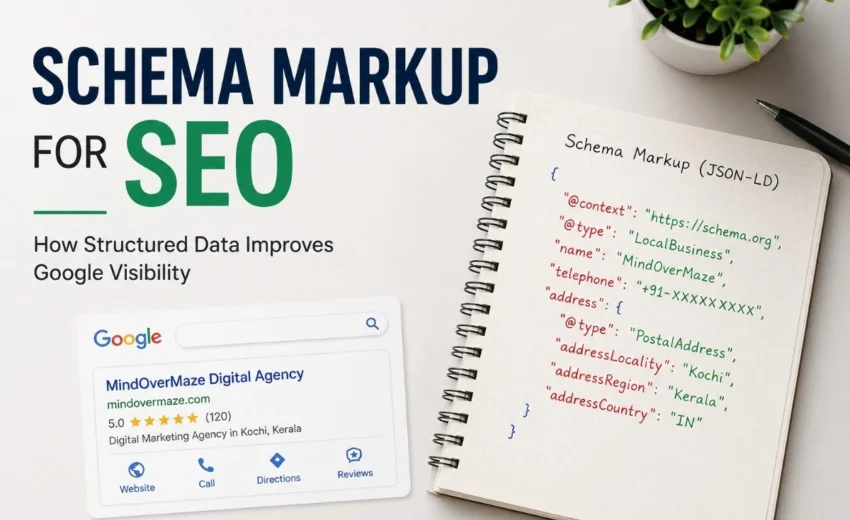
Here is a real example of the LocalBusiness schema for a digital agency:
json
{
“@context”: “https://schema.org”,
“@type”: “LocalBusiness”,
“name”: “MindOverMaze”,
“telephone”: “+91-XXXXXXXXXX”,
“email”: “hello@mindovermaze.com”,
“address”: {
“@type”: “PostalAddress”,
“addressLocality”: “Kochi”,
“addressRegion”: “Kerala”,
“addressCountry”: “IN”
}
}
This code tells Google the business name, phone number, email, and address directly in a language Google understands.
For a local bakery, the same structure works. Just change the name, phone, and address details.
Our Experience with Schema Implementation
During SEO audits at MindOverMaze, we often find missing or incomplete schema on client websites.
One common issue is the missing Organization or LocalBusiness schema on local business websites. Correcting this helps Google understand business information more accurately and improves eligibility for local pack features.
Another common issue is using product schema on blog posts or review schema without actual customer reviews. These mistakes confuse search engines and offer no benefit.
Fixing these problems is usually not technically difficult. The real challenge is choosing the right schema type and validating it properly.
Common Types of Schema Markup
Different websites need different types of schema. Here are the most useful ones.
Organization Schema
Every business should start here. Organization schema tells Google your business name, logo, contact details, and social media profiles. This helps Google build your brand knowledge.
LocalBusiness Schema
If you have a physical location, use this. It provides your address, phone number, business hours, and service area. This is very helpful for local SEO.
Product Schema
Online stores need product schema. It shows price, availability, brand, and reviews directly in search results.
Article Schema
Blogs and news websites use article schema. It provides headline, author name, publication date, and featured image.
Breadcrumb Schema
This helps Google understand your website structure. Instead of showing a long, messy URL, Google can show a clean navigation path like Home > Products > Shoes.
Review Schema
This displays star ratings in search results. Google has strict guidelines for review markup. Fake reviews, self-serving ratings, or misleading schema can violate these rules and may prevent rich results from appearing.
For a deeper understanding of how Google handles star ratings, read our related guide: Google Star Ratings in Search Results.
FAQ Schema
This was popular for showing question and answer boxes. However, Google changed its rules in 2023. Now, only large authoritative sites and support pages get FAQ rich results. Most regular websites will not see them anymore.
Which Schema Should You Use First?
If you are new to schema markup, start simple.
For most businesses, begin with:
- Organization schema
- LocalBusiness schema (if you serve a local area)
- Breadcrumb schema
- Article schema for your blog posts
Once these are working well, you can add product schema or review schema as needed.
Do not try to add everything at once. Start small and test.
How to Add Schema to Your Website
There are three common ways to add schema markup.
Manual Code
If you have a developer, they can write JSON-LD code and add it to your webpages. This gives you full control.
WordPress Plugins
If you use WordPress, plugins make schema very easy. Popular options include Rank Math, Yoast SEO, and Schema Pro. These tools add schema automatically or with a few clicks.
Online Generators
You can find free schema generator tools online. You fill in a form, and the tool creates the code for you. Then you paste it into your website. Always test the output before publishing.
How to Test Your Schema
Adding schema is not enough. You must test it.
An incorrect schema can cause errors. Google may ignore broken schema.
Use these free tools:
- Google Search Console URL Inspection Tool – This shows if Google can read your schema and if it qualifies for rich results.
- Schema.org Validator – This checks your code for technical mistakes.
After you add the schema, submit your page to Google Search Console for re-indexing. This helps Google find your structured data faster.
Schema Implementation Checklist
Here is a simple checklist before you publish any schema.
- Choose the right schema type for your content
- Use JSON-LD format
- Make sure schema data matches visible page content
- Include all required properties
- Test with Google Search Console
- Fix any errors or warnings
- Request re-indexing after adding the schema
- Check the Enhancements report in Search Console regularly
Common Mistakes to Avoid
Schema markup is useful, but mistakes can waste your effort.
Do not hide schema. Your schema must match what visitors see on the page. If your page shows a price of ₹1,000, your schema must also show ₹1,000. Hidden or fake data violates Google’s rules.
Use the correct schema type. Do not use product schema for a blog post. Do not use the event schema for a service page. Choose the type that matches your content.
Keep information updated. If your price changes, update your schema. If your business hours change, update your schema. Outdated information confuses Google and users.
Do not spam. Do not add fake reviews. Do not add a schema for content that does not exist. Google penalises misleading structured data.
Schema Markup and AI Search
Google now uses AI-generated overviews in search results. Many people ask if schema helps with AI search.
There is no confirmed proof that schema directly improves rankings in AI Overviews. However, structured data helps AI systems understand your content more accurately. Clear, well-organised information is always better for search engines – whether traditional or AI-powered.
For businesses planning for the future, schema remains a smart investment.
Final Thoughts
Schema markup helps Google understand your website better. It improves how your pages appear in search results. It can increase click-through rates and bring more visitors.
But schema is not magic. It is not a shortcut to first-page rankings. It works best as part of a complete SEO strategy – good content, technical optimisation, and user experience.
If you are unsure whether your website uses schema correctly, a technical SEO audit can help identify missing or incorrect schema implementation affecting search visibility. (Link to your SEO audit page or technical SEO service)
At MindOverMaze, we recommend schema markup for every serious website. It takes effort to implement correctly, but the visibility benefits are worth it.
Start small. Test your work. And keep learning as Google updates its guidelines.
Alfik P S
hi