You write more content. You think more traffic will follow. That makes sense, right?
But sometimes the opposite happens.
Your own pages start competing against each other for rankings. One page ranks this week. Another page from your own site will replace it next week. Your traffic goes up and down for no clear reason.
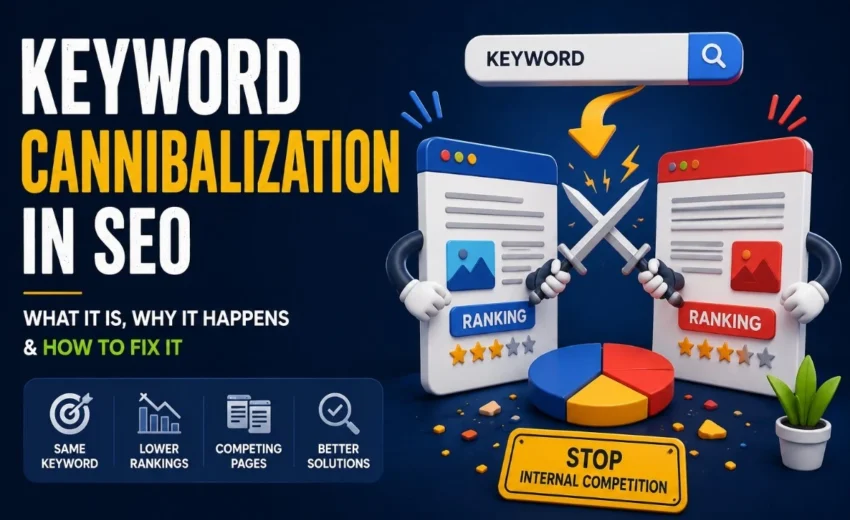
This is called keyword cannibalization.
Let me explain what it really means, why it hurts your SEO, and how to fix it without losing your mind.
What Is Keyword Cannibalization?
Keyword cannibalization happens when two or more pages on your website try to rank for the same keyword or the same search intent.
But here’s the important part: it’s not just about using the same words.
In most cases, keyword cannibalization is an intent problem rather than simply a keyword problem.
If one page talks about “how to bake a cake” and another page sells “cake baking tools,” they can both use the word “cake” without hurting each other. Why? Because people want different things from each page.
The problem starts when your pages target the same person with the same goal.
These three pages all answer the same question. Instead of having one strong page, you now have three weak pages fighting for attention.
That’s cannibalization.
Why Does It Happen?
Most website owners don’t plan to do this. It just creeps in over time.
Here are the most common reasons:
You publish too fast without checking what’s already there. You get an idea, you write a post, you hit publish. But six months ago you wrote something very similar. Now they compete.
You don’t have a clear keyword map. You never decided which page owns which keyword. So different writers target the same topic from slightly different angles — but the angles are actually the same.
Your website is old and messy. Old blog posts, outdated service pages, and refreshed content that never replaced the old version. They all pile up.
E-commerce sites are especially prone to this. Category pages, filter pages, product variants — they can all target “men’s running shoes” without meaning to.
How to Spot Cannibalization
You don’t need expensive tools to find it. Start here.
Check Google Search Console. Look at the “Queries” report. See a keyword bringing impressions to multiple pages? That can be a red flag worth investigating.
Do a simple site search. Type this into Google: site:yourdomain.com “your keyword”
You’ll see every page on your site that mentions that keyword. If you find two or three pages that look almost identical, you have a problem.
Watch for ranking weirdness. One week, your page is #4. Next week, it drops to #12, and another one of your pages shows up at #9. Then they swap again. That’s cannibalization in action.
Look at your traffic. If your overall organic traffic is flat or falling even though you keep publishing, cannibalization might be spreading your authority too thin.
SEO tools like Google Search Console, Ahrefs, and Semrush can make this process easier.
Does It Really Hurt SEO?
Yes, in several ways.
Split authority. Backlinks and internal links get divided between pages instead of building up one strong page.
Lower rankings. Two average pages rarely beat one great page.
Confused users. People click from Google to your site and see the same information on different URLs. That doesn’t build trust.
Wrong page ranks. Your “hire me” service page gets ignored, and your “what is SEO” blog post ranks instead. You get readers, not customers.
How to Fix Keyword Cannibalization
You don’t have to delete everything. Fix it with these simple steps.
1. Merge similar pages into one.
If two blog posts cover the same topic in almost the same way, combine them. Take the best parts from each. Update the examples. Make one long, useful guide. Then delete the other page and set up a redirect from the old URL to the new one.
2. Use 301 redirects carefully.
After you merge or remove a page, redirect the old address to the new one. This passes any link value to your main page. But never redirect a page that gets good traffic to a weaker page — always redirect the weaker page to the stronger one.
3. Make each page clearly different.
Sometimes you don’t need to merge. You just need to sharpen the focus.
Example:
Page A: “SEO Pricing” (transactional, for buyers)
Page B: “SEO Process” (informational, for learners)
Same topic. Different purpose. Keep both. Just make sure the titles, headings, and content make the difference obvious to both users and Google.
4. Fix your internal links.
If you have 10 blog posts, each linking to a different page with the same anchor text (“SEO tips”), Google may struggle to identify the most relevant page. Pick one main page for that topic. Then point most of your internal links to that page. Use clear anchor text that matches the page’s purpose.
5. Noindex or canonical filter pages (for e-commerce).
If your store creates hundreds of filter URLs (color=red, size=large, etc.), pick one main version of each product listing. Use canonical tags to tell Google which one matters. Or block the filter pages from being indexed at all.
How to Prevent It Going Forward
Prevention is easier than cleanup.
Make a simple keyword map. Before you write anything, decide on one primary keyword and one intent per page. Write it down.
Check your own site before you publish. Search your domain plus the topic. If a good page already exists, update that instead of writing something new.
Audit your content twice a year. Look for overlapping topics. Fix them before they become a real problem.
Think “one strong page,” not “many okay pages.” It’s better to have one page that ranks #1 than three pages that rank #12, #15, and #18.
Final Thoughts
Keyword cannibalization is not a penalty. Google won’t ban you for it. But it is a slow leak in your SEO engine.
You write more. You expect more. But your own pages get in each other’s way.
The fix is simple: be clear about what each page exists to do. One page, one main keyword, one clear job.
When you stop competing with yourself, your rankings become more stable, your traffic grows more predictably, and your content finally works together instead of against itself.
So take 30 minutes this week. Open Google Search Console. Look for keywords where more than one of your pages shows up. Pick the best page. Improve it. Redirect or merge the rest.
Small fixes today can lead to stronger rankings and more stable organic traffic over time.









Why Google Ranks a Different Page From Your Website September 23, 2026
[…] Canonicalization is another important factor. […]