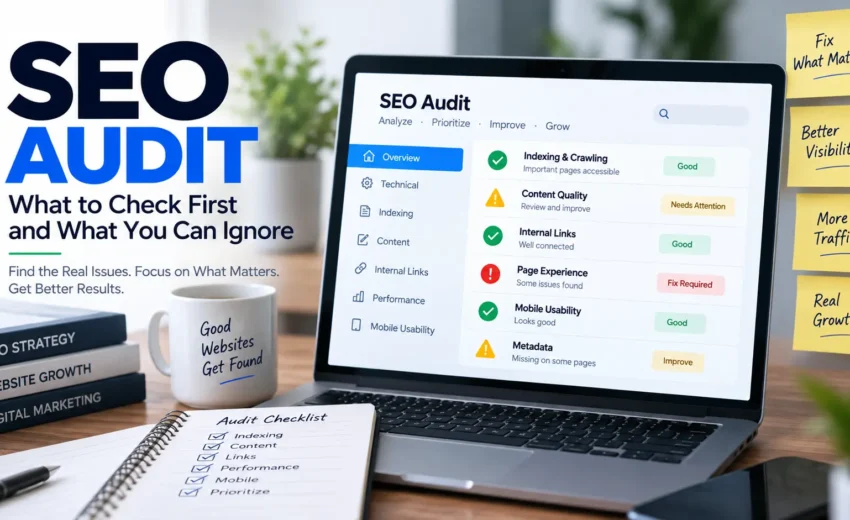

An SEO audit can tell you a lot about a website. It can show technical problems, content issues, indexing concerns, broken links, slow pages, and many other things that may need attention.
But there is one problem with the way many SEO audits are handled: the number of issues can become more important than the impact of those issues.
A tool might report dozens or even hundreds of warnings. That can make it feel like everything needs to be fixed immediately.
It doesn’t.
A missing meta description on one page is not necessarily more important than an important service page that isn’t indexed. A small image issue may not matter as much as a page targeting the wrong search intent.
A useful SEO audit, then, isn’t about finding the most errors.
It’s about finding the problems that matter most and deciding what to do about them.
What Is an SEO Audit?
An SEO audit is a systematic review of a website to understand how well it can be discovered, understood, and used through search engines.
It usually looks at several areas, including:
- Technical SEO
- Indexing and crawling
- Content
- Search performance
- Internal linking
- Page experience
- On-page SEO
- Structured data
- Mobile usability
The exact areas you review can depend on the website.
A small local business website doesn’t need the same audit as a large ecommerce website with thousands of URLs.
That’s why there is no single checklist that is perfect for every website.
The real purpose of an audit is to answer three questions:
What is the problem?
How important is it?
What should we do next?
Start With Indexing and Crawling
Before spending time improving rankings, make sure Google can actually access and index the pages that matter.
Start with the important pages on your website, such as your homepage, main service pages, product pages, category pages, and valuable content.
Look for problems such as:
- Important pages not being indexed
- Accidental noindex directives
- Incorrect canonical URLs
- Pages returning server errors
- Important pages being blocked from crawling
- Important content being difficult to discover through internal links
Google Search Console is useful here because its indexing reports can help you understand which pages Google has discovered and which ones have indexing issues.
However, don’t assume that every page not indexed is a problem.
Some URLs are intentionally excluded from search, such as duplicate or low-value variations. The important question is whether the pages you actually want to appear in Google are available and eligible to appear.
That should be one of the first checks in any SEO audit.
Check Whether Google Is Ranking the Right Page
A website can be technically healthy and still struggle because the wrong page is appearing for an important search.
Imagine a company has a detailed service page and a blog post about the same subject. If the blog post receives most of the visibility for an important commercial query, the problem may not be technical.
It could be a search intent or content structure problem.
Use your search performance data to understand:
- Which queries bring visibility
- Which pages receive that visibility
- Which pages receive clicks
- Whether important pages are losing impressions
- Whether another page is appearing instead
Then ask:
Is this the page I actually want a searcher to find?
If the answer is no, investigate why.
The solution might involve improving the relevant page, strengthening internal links, changing the content structure, or addressing overlap between pages.
Review Search Intent
One of the easiest things to miss during an SEO audit is whether your content still matches what people want.
Search results can change over time.
A query that once produced mostly informational articles may now show comparison pages, product pages, videos, local results, or another format.
That means a page can be well written and still struggle because it no longer matches the type of result searchers expect.
During your audit, search your important keywords manually and look at the current results.
Ask:
- What type of pages are ranking?
- What questions are those pages answering?
- Is the search informational, commercial, transactional, local, or navigational?
- Does your page satisfy the same need?
- Has the search result changed significantly from before?
This is especially important when a page has lost rankings without any obvious technical problem.
Don't Audit Content by Word Count Alone
A common mistake is to assume that a page needs to be longer to perform better.
It doesn’t.
A page should be as detailed as necessary to satisfy the searcher’s needs.
Instead of asking:
“Does this page have enough words?”
ask:
“Does this page provide enough useful information?”
Look for content that is:
- Outdated
- Incomplete
- Repetitive
- Too generic
- Poorly structured
- Missing important information
- Written mainly to target keywords
- Lacking useful first-hand experience
Also check whether several pages are covering almost the same topic.
If two pages have overlapping purposes, don’t automatically delete one. First understand whether they serve different audiences or search intents. Sometimes improving the existing pages is better than removing them.
Check Your Internal Links
Internal linking is another important part of an SEO audit.
Your important pages should be easy for both users and search engines to discover.
Look for:
- Important pages with very few internal links
- Pages that are difficult to reach
- Broken internal links
- Links pointing to outdated URLs
- Relevant articles that don’t connect to important service or product pages
But don’t add internal links simply to increase the number of links on a page.
A good internal link should make sense to the reader.
For example, if you’re explaining content pruning in an article about content decay, linking to a detailed content pruning guide can help the reader continue learning.
Good internal linking creates a logical path through your website.
Check Mobile Experience and Page Performance
Your website needs to work well for people, not just search engines.
Open important pages on mobile and desktop and actually use them.
Check whether:
- Pages load reasonably quickly
- Text is easy to read
- Buttons are easy to use
- Navigation works properly
- Forms are usable
- Important content isn’t difficult to find
- Layout elements don’t move unexpectedly
- Pop-ups don’t interfere with the page
Page experience matters, but don’t turn every performance warning into an emergency.
The important question is:
Does this problem meaningfully affect users or the ability of search engines to access and understand the page?
That should determine its priority.
Don't Let SEO Tools Decide Everything
This is where many SEO audits go wrong.
Tools are excellent at finding potential issues. They are not always good at deciding which issues matter most for your particular website.
A tool might highlight:
- Missing meta descriptions
- Long title tags
- Image problems
- Heading issues
- Redirects
- Duplicate elements
These can be worth fixing.
But imagine your audit also finds that:
- Your main service page isn’t indexed.
- Your most valuable page has lost significant search visibility.
- Your content doesn’t match current search intent.
- Your important pages have very few internal links.
Those problems deserve much more attention.
An SEO tool tells you what it found. It doesn’t automatically tell you what you should do first.
That decision requires context.
Use Google Search Console to Find Real Problems
Search Console should be one of the main tools in an SEO audit because it shows how your website is actually performing in Google Search.
Look at:
- Clicks
- Impressions
- CTR
- Average position
- Queries
- Pages
- Countries
- Devices
- Search appearance
Don’t look at these numbers separately.
For example, a page with increasing impressions but falling clicks may need a closer look at its CTR and the type of search results appearing around it.
A page with falling impressions may require a different investigation.
You can also compare different time periods to identify meaningful changes rather than reacting to normal day-to-day fluctuations.
The goal isn’t simply to find a number that looks bad.
The goal is to understand what changed and why.
What SEO Issues Can You Ignore?
“Ignore” doesn’t necessarily mean “never fix.”
It means don’t let low-impact issues take priority over important problems.
For example, a minor metadata issue on a page that receives almost no traffic may not deserve immediate attention.
Likewise, a small technical warning that has no meaningful effect on important pages may be something you can handle later.
But context matters.
If the same issue affects thousands of important pages, its priority can change.
That’s why SEO auditing should always consider:
Scale + importance + impact
rather than treating every warning equally.
A Better Way to Prioritize SEO Problems
Once you’ve completed your audit, divide the findings into four simple groups.
Fix First
These are problems that can directly affect important pages, search visibility, users, or business performance.
Examples include serious indexing problems, major technical issues, or important pages losing visibility.
Investigate
Some problems need more information before you change anything.
For example, if the wrong page is ranking, first understand whether the cause is search intent, internal linking, content overlap, or something else.
Improve
These are useful opportunities that can make good pages better.
Examples include improving content clarity, strengthening internal links, or improving titles and snippets where appropriate.
Monitor
Some changes don’t require immediate action.
Keep an eye on them and revisit them when there is evidence that they are becoming important.
This simple approach can turn a huge audit report into a manageable action plan.
Don't Forget the Business Side of SEO
SEO audits often focus heavily on rankings and technical problems.
But a business website has another important goal:
getting the right people to take action.
A page can receive plenty of traffic and still produce very few leads.
Another page may receive less traffic but generate valuable customers.
So when prioritizing SEO work, consider:
- Organic traffic
- Important rankings
- Leads
- Sales
- Conversions
- Revenue
- Business value
This prevents you from spending weeks improving pages that have little effect on the business while ignoring pages that actually generate customers.
Final Takeaway
An SEO audit isn’t a race to find the most errors.
A website can have hundreds of technical warnings and still have its biggest opportunity somewhere completely different.
The most valuable audit is the one that helps you understand what is affecting the website, what matters to the business, and what should be fixed first.
Start with indexing. Then look at search performance, search intent, content, internal links, and user experience. Use SEO tools to discover potential problems, but use your own judgment to decide which ones deserve attention.
A good SEO audit doesn’t give you more tasks. It gives you better decisions.
Alfik P S
hi