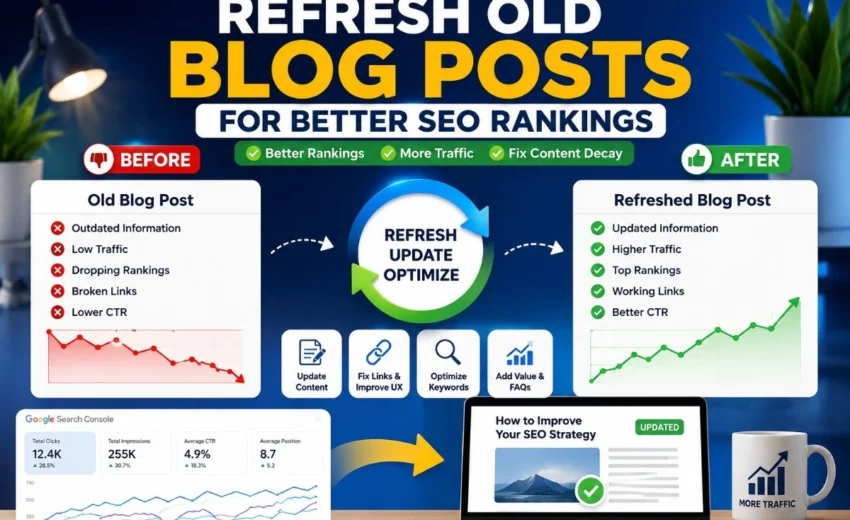
You don’t always need to write new content to grow your traffic. Sometimes the best SEO opportunities are sitting in your old posts, just waiting for a little attention.
A blog post that performed well a year ago might still have valuable backlinks and authority. But search intent changes, competitors update their pages, and information gets old. Rankings slowly drop over time. That’s normal.
Instead of starting from scratch, refreshing your older content can bring back lost rankings, increase organic traffic, and save you hours of work.
In this guide, you’ll learn exactly which posts to update, what changes actually help, and how to measure your results.
Why Refresh Old Blog Posts
Google wants to show users the most helpful and current information. Even a well‑written post can lose rankings if:
- Statistics are out of date.
- Competitors have published something more complete.
- What people are searching for has changed.
- Your internal links point to pages that no longer exist.
This slow decline is often called content decay. Refreshing a post helps you recover that lost visibility. It’s often faster and more effective than writing something completely new.
How to Find Which Posts Need a Refresh
You don’t need to update every page on your site. Focus on posts that already have some authority or ranking potential.
Here are the most common signs a post needs work:
- Traffic has been slowly dropping over several months.
- Search impressions are going down.
- A post fell from page one to page two.
- Statistics, screenshots, or examples look old.
- Links are broken, or images no longer load.
One important thing to keep in mind: seasonal content naturally drops when its season ends. A post about “Christmas decorating ideas” will lose traffic in January. That’s normal. Compare year‑over‑year data instead of comparing last month to the month before.
A Simple Rule to Prioritize
Start with posts that rank between positions five and twenty in Google Search Console. These pages are already visible to searchers. A small improvement can push them from position eleven to position five, which often doubles or triples traffic.
You can also refresh posts in positions one through four. That helps you defend your top rankings against competitors who are updating their own content.
Step 1: Use Google Search Console to Spot Declining Posts
Google Search Console is the easiest tool for this job. If you’re new to the platform, check out our guide on how to use Google Search Console for SEO to learn how to find declining pages, keyword opportunities, and indexing issues.
Go to Performance → Search Results. Compare the last three months with the previous three months. Look for pages with fewer clicks, lower impressions, or a falling average position.
These are your best candidates for a refresh.
Step 2: Replace Outdated Information
This is the fastest win. Go through your post and update:
- Old statistics (find the latest numbers).
- Screenshots (software looks different every year or two).
- Examples that no longer feel current.
- Tool recommendations that may have changed.
- Any references to events or studies that are no longer relevant.
Readers trust content that feels current. Search engines prefer it too.
Step 3: Check if Search Intent Has Changed
Search intent means what users really want when they type a query. Sometimes that intent shifts over time.
Ask yourself: Does this post still fully answer the searcher’s question? Look at the top-ranking pages for your target keyword. If they all include step‑by‑step instructions or a template, and your post is just a general overview, you have a problem.
Adjust your content to match what users expect today. That might mean adding a checklist, a downloadable guide, or a clear how‑to section. The goal is not to add fluff. The goal is to make the page genuinely more useful.
Step 4: Look for New Keyword Opportunities
Search behavior changes. A post might start ranking for keywords you never planned for.
Check Google Search Console for queries that show impressions but few clicks, or keywords where you rank between positions five and twenty. Can you naturally expand your content to address those topics?
Do not stuff keywords into your post. Just answer the related questions better than your competitors do.
Step 5: Add New Sections and Frequently Asked Questions
As topics evolve, your post may become incomplete. See what top‑ranking pages cover that you missed. Common additions include:
- Missing subtopics or recent developments.
- Frequently asked questions from forums or social media.
- Practical problems users face.
Adding an FAQ section is especially useful. You can mark it up with schema (more on that later) to potentially appear in rich results on Google.
Step 6: Improve Internal Linking
Internal links help Google understand how your pages relate to each other.
When you refresh an old post, add links to newer related articles. Also, link to your important service pages or cornerstone content. Remove or update any outdated internal links that point to deleted pages.
Do not forget the reverse direction. When you publish new content, link back to this refreshed post. That sends link equity both ways and tells Google the old post is still relevant.
Strong internal linking helps with crawlability, user experience, and topical authority.
Step 7: Refresh Your Title and Meta Description
Sometimes rankings stay the same, but traffic goes down. That often means your click‑through rate is suffering.
Look at your SEO title and meta description. Would you click on your own result? Is the title specific? Does it promise a clear benefit?
For example, change a title like “SEO Audit Guide” to “SEO Audit Guide – 12 Steps to Find and Fix Website Issues.” Small improvements like that can increase clicks without changing where you rank.
Step 8: Update Images and Visuals
Screenshots, charts, and infographics get old fast. A screenshot of a software dashboard from two years ago may look completely different today.
Replace old visuals with current ones. Use descriptive file names and alt text. Compress the images so they load quickly. Fresh visuals make the page feel newer and keep readers engaged.
Step 9: Check Technical Issues and Add Schema
Before you republish, look for technical problems:
- Broken links (both internal and external).
- Missing meta tags.
- Slow loading speed (test with PageSpeed Insights).
- Mobile usability issues.
- Any indexing problems shown in Google Search Console.
One technical improvement that many people forget is schema markup. Add FAQ schema to your FAQ section. If your post is a step‑by‑step guide, add HowTo schema. For standard articles, use Article schema.
Schema helps Google understand your content better and can unlock rich results like starred reviews or expandable FAQ boxes. You can add schema manually with JSON‑LD or use an SEO plugin.
Technical issues and missing schema can hold back even great content.
Step 10: Update the Date the Right Way
Changing the publication date without improving the content does nothing for rankings. Google is not fooled by a fresh date alone.
If you have made meaningful changes – new sections, updated data, better examples – then update the “last modified” date. You can also keep the original publish date visible for transparency.
Do not change the date just for the sake of it. Focus on making the page better.
Step 11: Republish Without Confusing Google
When your refreshed post is ready, follow these simple rules:
Keep the same URL. Never change a post’s URL unless you absolutely have to. If you do change it, set up a 301 redirect from the old address.
Resubmit the page to Google. Go to Google Search Console, enter the URL in the inspection tool, and click “Request Indexing.” This tells Google to crawl your updated content faster.
If the changes are substantial, consider sharing the post again on social media or in your newsletter. But do not overdo it for small tweaks.
Step 12: Measure Your Results
After refreshing a post, give it time. SEO improvements usually take weeks to show up.
Check your performance at 30, 60, and 90 days. Look at organic traffic, clicks, impressions, average position, and click‑through rate.
Use what you learn to decide which types of updates work best for your site. Over time, you will get better at knowing exactly what each old post needs.
When You Should Not Refresh a Post
Not every old post is worth saving. Sometimes it is smarter to delete or merge a page.
Here are situations where you should skip the refresh:
- A post has zero backlinks and no organic traffic for over a year. Delete it or mark it as no‑index.
- You have two posts targeting the same keyword. This is known as keyword cannibalization, where multiple pages compete for the same search term and confuse Google about which page should rank. In many cases, the best solution is to merge the content into one stronger page and set up a 301 redirect from the weaker page. Learn more in our guide on Keyword Cannibalization in SEO.
- The topic is permanently irrelevant, like a post about software that no longer exists. Delete the post and redirect to a relevant page if possible.
Also consider content pruning. Removing thin, low‑quality pages can improve how Google crawls and understands your site.
Common Mistakes to Avoid
- Changing only the date. That does not help.
- Stuffing keywords into old content. It hurts readability and can trigger spam filters.
- Ignoring search intent. A post that does not match what users want will not rank well.
- Removing sections that are still driving traffic. Be careful when editing.
- Forgetting to resubmit the page to Google. Otherwise, your fresh content may sit un-crawled for weeks.
Will a Refresh Get You to Page One?
It depends on your situation.
If a post was on page one and then dropped to page two, a good refresh often brings it back.
If the post has quality backlinks but old information, you have a strong chance of improving.
If the post never ranked above position thirty, a refresh alone probably will not get it to page one. You may need additional backlinks or a major content expansion.
For very competitive topics like finance or health, a refresh helps, but you usually need link building as well.
Final Thoughts
You do not always need more content to grow your SEO. Often, the fastest path to more traffic is improving what you already have.
By finding the right old posts, updating outdated information, aligning with current search intent, strengthening internal links, adding schema, and republishing correctly, you can see meaningful ranking improvements without writing a single new article.
Make content refreshing a regular habit. Revisit your important posts every six to twelve months. Over time, you will get more value from every page you have already created.
Alfik P S
hi