A website can get hundreds or even thousands of visitors, but traffic numbers alone don’t tell you whether the website is actually performing well.
You need to know where those visitors come from, which pages they visit, what they do on the website, and whether they complete important actions.
This is where Google Analytics becomes useful.
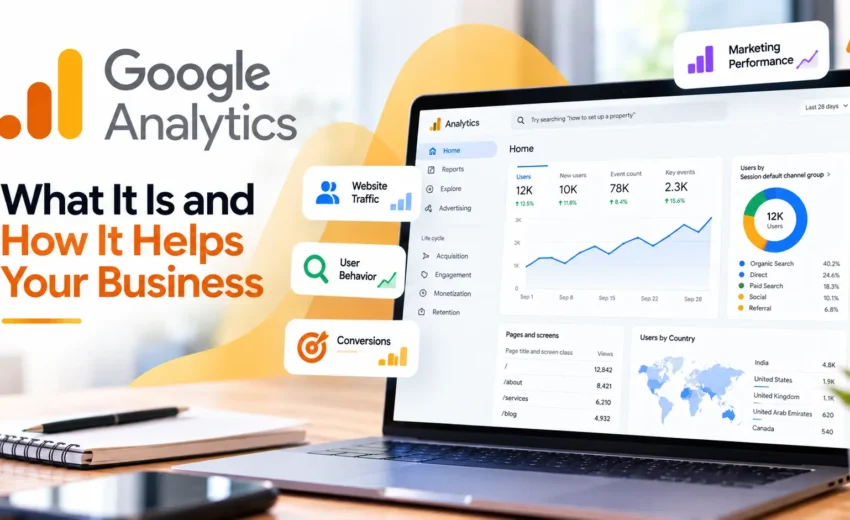
Google Analytics is a web and app analytics platform that collects data about users and their activity and turns that data into reports. Businesses can use it to understand website traffic, user behavior, marketing performance, and important actions such as leads or purchases.
What Is Google Analytics?
Google Analytics is a tool that helps you understand what is happening on your website or app.
Once Analytics is properly set up, it collects information about visitor activity and makes that information available through different reports.
You can use it to understand:
- How many users visit your website
- Where visitors come from
- Which pages they view
- How users interact with your website
- Which marketing channels bring traffic
- Which actions are important to your business
- How website performance changes over time
The current version of Google Analytics is Google Analytics 4 (GA4).
GA4 is designed around events and user interactions rather than relying only on traditional page and session measurements.
Why Is Google Analytics Important?
Getting website traffic is not the same as getting results.
A website may receive visitors from Google Search, Google Ads, social media, referral websites, or direct visits. But without analytics, it can be difficult to understand which sources are actually contributing to your business goals.
Google Analytics helps bring this information together.
For example, you can identify which channels are bringing visitors and then look at what those visitors do after arriving on the website.
This can help you make better decisions about your website and marketing activities instead of relying only on assumptions.
What Can You Track With Google Analytics?
Google Analytics provides different reports for understanding website and app performance.
Some of the main areas include acquisition, engagement, monetization, retention, and user information, depending on how the property is configured.
Website Traffic
You can understand how users are reaching your website and analyze different traffic sources and channels.
This can help you see how organic search, paid campaigns, social media, referrals, and other sources contribute to your overall traffic.
User Engagement
Google Analytics can help you understand what visitors do after they arrive.
You can analyze page views, events, user interactions, and other engagement information.
This is useful for identifying which pages and content are receiving attention.
Leads and Sales
Analytics can also be used to measure important business actions.
For a lead-generation website, this could include actions such as submitting an enquiry form.
For an e-commerce website, it could include purchases and revenue.
Google Analytics uses the term key event for an event that represents an action that is particularly important to the success of your business.
What Are Events in GA4?
Events are an important part of Google Analytics 4.
An event represents an interaction or occurrence that you want to measure.
This could be a page view, link click, purchase, form-related interaction, or another activity on your website or app. Google Analytics supports automatically collected events, enhanced measurement events, recommended events, and custom events.
This event-based approach gives marketers more flexibility when measuring how users interact with a website.
However, having hundreds of events doesn’t automatically make your analytics better.
The important thing is to track actions that are meaningful to your business.
Understanding Google Analytics Reports
Google Analytics provides different reports to help you analyze your data.
The Realtime report lets you see recent activity on your website, while other reports provide information about acquisition, engagement, users, monetization, and other areas.
You don’t need to check every report every day.
Instead, focus on the information that helps you answer important business questions.
For example:
- Where are our visitors coming from?
- Which pages are performing well?
- Which channels bring valuable visitors?
- Are users completing important actions?
- Is website performance improving or declining?
This makes Google Analytics much easier to use.
Google Analytics for SEO
Google Analytics can be useful for understanding what happens after visitors arrive through organic search.
You can analyze traffic coming from search and see how those users interact with your website.
However, Google Analytics is not a replacement for Google Search Console.
Search Console is designed to provide information about your website’s presence and performance in Google Search, while Analytics helps you understand what users do after reaching your website.
Using both tools together gives you a broader view of organic search performance.
Google Analytics for Google Ads
Google Analytics is also important for understanding paid traffic.
When Google Ads and Google Analytics are properly connected, you can analyze how advertising traffic behaves after arriving on your website and evaluate important actions.
This can help you move beyond simply looking at clicks.
A campaign may generate a good number of clicks, but the more important question is what happens after those clicks.
Do visitors engage with the website?
Do they complete important actions?
Do they generate leads or sales?
Analytics can help you investigate these questions.
Google Analytics for Meta Ads and Other Marketing Channels
Google Analytics is not limited to Google Ads.
It can also help you analyze website traffic coming from other marketing channels, including social media and referral sources.
When campaign tracking is configured properly, you can get a clearer understanding of how different campaigns contribute to website activity.
This is especially useful when a business is using several marketing channels at the same time.
Instead of looking at each platform separately, Analytics can help you understand what happens on the website after users arrive.
Why Conversion Tracking Matters
One of the biggest mistakes businesses make is focusing only on traffic.
More visitors do not necessarily mean more business.
If your main goal is generating leads, you need to measure actions that represent genuine business value.
If your goal is e-commerce sales, you need to measure purchases and revenue.
Google Analytics allows important events to be identified as key events so they can be used in reports and marketing analysis.
Without proper tracking, you may have plenty of website data but still not know whether your marketing is producing the desired results.
Common Google Analytics Mistakes
Looking only at the number of users
Traffic is useful, but it is only one part of website performance.
Always consider what users do after arriving.
Tracking too many things
More data is not always better.
Track actions that are relevant to your business rather than creating unnecessary events.
Ignoring tracking problems
If your tracking is incorrectly configured, your reports may not accurately represent what is happening on your website.
Use tools such as Realtime reports and DebugView to verify that important events are being recorded correctly.
Checking Analytics without a clear purpose
Analytics becomes much more useful when you have a question you want to answer.
Instead of simply checking numbers every day, use the data to investigate specific business and marketing questions.
Google Analytics Is More Than a Traffic Tool
It is easy to think of Google Analytics as a tool that simply tells you how many people visited your website.
It can do much more than that.
When properly configured, GA4 can help you understand the complete journey from acquisition to user interaction and important business actions.
This can help marketers identify what is working, find areas that need improvement, and make decisions based on data.
The quality of your insights, however, depends heavily on how well Analytics has been set up and what you choose to measure.
Final Thoughts
Google Analytics is one of the most useful tools for understanding website performance.
It helps you move beyond simply asking “How much traffic did we get?” and start asking more useful questions about where visitors came from, what they did, and whether they completed important actions.
For businesses, marketers, SEO professionals, and website owners, this information can make it easier to understand what is working and where improvements are needed.
The key is not to collect as much data as possible.
The key is to track the right information and use it to make better decisions.
When GA4 is properly configured and used alongside tools such as Google Search Console, Google Ads, and other marketing platforms, it can provide a much clearer picture of how your website and digital marketing efforts are performing.


October 1, 2026