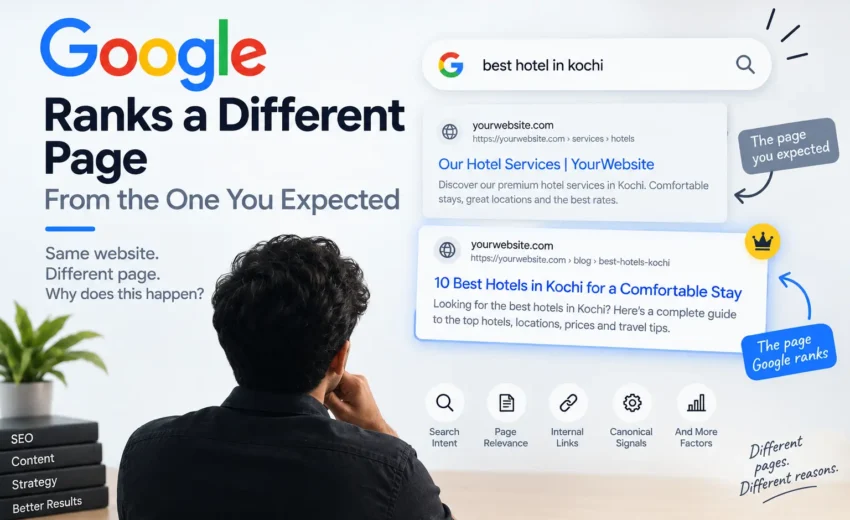
You have a website with several pages targeting related keywords. You expect one particular page to appear in Google when someone searches for a specific term.
But when you check the search results, Google is showing a different page from your website.
This can be confusing.
You may wonder whether Google has made a mistake, whether your pages are competing with each other, or whether something is wrong with your SEO.
In many cases, Google is simply choosing the page it believes is the most relevant result for the search. However, there are several reasons why Google may select a different page from the one you expected.
Understanding these reasons can help you diagnose ranking problems without making unnecessary changes to your website.
Google Doesn't Always Rank the Page You Choose
When you optimize a page for a particular keyword, you can send Google signals about what the page is about.
You can use the keyword naturally in the content, title, headings, internal links, and other relevant areas.
But these signals do not guarantee that Google will always rank that exact page for the query.
Google evaluates pages based on many signals and tries to determine which page is most relevant and useful for the search.
So, the page you consider the “main” page for a keyword may not always be the page Google selects.
Search intent refers to what someone is actually trying to find when they enter a query.
For example, a website might have a general service page and a detailed guide about the same subject. Both pages may contain similar keywords, but they serve different purposes.
If Google believes the guide better answers a particular informational search, it may rank that page instead of the service page.
This is why targeting a keyword isn’t just about placing it on a page. The page also needs to match what people are looking for.
Two Pages May Be Too Similar
Another possibility is that two pages on your website cover very similar topics.
For example, you might have:
A page about a particular service
A blog post explaining the same service
Another page targeting a closely related keyword
If the purpose and content of these pages overlap heavily, Google may have difficulty determining which page should be shown for a particular query.
This does not automatically mean that having related pages is bad. A website can naturally have multiple pages covering the same general subject.
The problem occurs when the pages do not have clearly different purposes or provide enough unique value.
When Google finds multiple URLs with duplicate or very similar main content, it can group those pages together and select a canonical URL that it considers the most representative version.
Google uses several signals when making this decision, including redirects, sitemap information, HTTPS, and rel=”canonical” annotations. However, a canonical preference is a signal to Google, not a guarantee that Google will follow it.
This means that if Google selects a different canonical page from the one you expected, it is worth checking whether the pages are too similar or whether your technical signals are inconsistent.
Internal Links Can Influence Which Page Google Understands as Important
Internal links help Google discover pages and understand relationships between different parts of a website.
Suppose you have two pages covering related topics, but most of your internal links point toward one of them.
That linking structure can provide Google with additional context about how the pages relate to each other.
This doesn’t mean you should add internal links simply to force a particular page to rank. Instead, build a logical structure where important pages receive relevant internal links from appropriate content.
Your Page May Not Be the Strongest Result
Sometimes the reason is simply that another page on your website provides a better answer to the query.
A blog post may explain a topic more thoroughly than a service page. A category page may provide a better overview than an individual product page.
Google’s systems are designed to surface relevant and useful content, so the page that you expected to rank is not automatically the page that will be selected.
This is also why changing a keyword repeatedly may not solve the problem.
You first need to understand why Google is choosing the other page.
Page Quality and Relevance Still Matter
The page experience and overall quality of a page can also contribute to its performance.
Google says its ranking systems aim to show relevant content and that its systems evaluate page experience alongside many other signals. Good Core Web Vitals and mobile usability can be useful parts of a good overall experience, but strong scores alone do not guarantee high rankings.
So if Google consistently ranks another page from your website, compare the two pages.
The comparison may reveal why Google prefers one page over the other.
Don't Immediately Delete the Page
Seeing the “wrong” page ranking does not automatically mean you should delete it.
Before making major changes, understand what is happening.
Ask yourself:
Is this page actually targeting a different search intent?
Are the two pages covering the same topic too closely?
Does the page I want to rank provide a better answer?
Are my internal links sending clear signals?
Is there a canonical or indexing issue?
These questions can help identify the actual problem.
What If You Want a Different Page to Rank?
Start by comparing the page Google is currently ranking with the page you want to rank.
Look at what each page offers and how closely each one matches the search query.
If the preferred page is clearly the better match, you can improve its content, clarify its purpose, strengthen relevant internal links, and make sure the technical signals are consistent.
At the same time, review the other page. If it has a completely different purpose, there may be no need to change it.
If the pages are substantially overlapping, you may need to consider whether they should be consolidated or whether their topics should be differentiated more clearly.
Don't Try to Force Google
SEO is not about forcing Google to rank a particular URL.
Your goal is to make it easy for both users and search engines to understand:
What each page is about
Who the page is for
What question it answers
How it relates to other pages on the website
When every important page has a clear purpose, your website becomes easier to understand and manage.
How to Check Which Page Google Is Ranking
If you notice that the wrong page is appearing, don’t rely only on a quick Google search.
Check your Google Search Console data to see which URL is receiving impressions and clicks for the query.
You can also inspect the relevant URLs and review their indexing and canonical information.
This gives you a clearer picture of what Google is actually doing rather than relying only on what you see in one search.
The Bigger Picture
Google choosing a different page from the one you expected is not necessarily an SEO error.
It can happen because another page better matches the search intent, because two pages overlap, because of canonicalization, or because the overall signals around the pages point Google in a different direction.
The important thing is to understand the reason before changing the website.
Instead of asking only, “Why isn’t my page ranking?”, ask:
“Why does Google believe another page is a better result for this search?”
That question can lead you to the real SEO issue and help you make more informed changes.
In SEO, the goal is not simply to tell Google which page to rank. It is to create a website where every important page has a clear purpose, strong relevance, and useful content for the people searching for it.