
Changing a webpage URL without setting up a redirect can lead to broken links, lost traffic, and reduced search visibility. Whether you’re redesigning your website, migrating to a new domain, switching from HTTP to HTTPS, or updating old URLs, it’s important to guide both users and search engines to the correct destination.
That’s where 301 redirects come in.
A 301 redirect is a permanent redirect that automatically sends visitors and search engine crawlers from one URL to another. When implemented correctly, it helps preserve backlinks, consolidate ranking signals, reduce 404 errors, and maintain your website’s SEO performance.
In this guide, you’ll learn what 301 redirects are, how they work, when to use them, common mistakes to avoid, and best practices for managing redirects effectively.
What Is a 301 Redirect?
A 301 redirect is an HTTP status code that tells browsers and search engines, such as Googlebot and Bingbot, that a webpage has permanently moved to a new location.
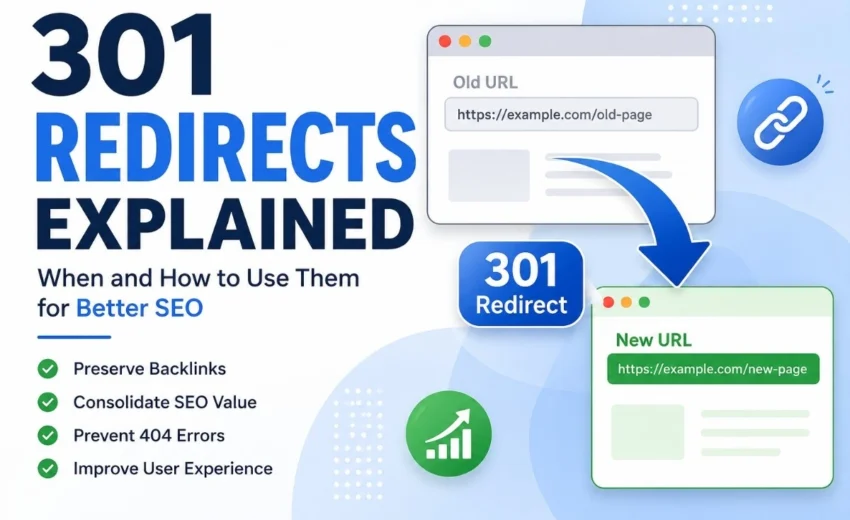
For example:
Old URL
https://example.com/old-page
↓
301 Redirect
↓
New URL
https://example.com/new-page
When someone visits the old URL, they’re automatically redirected to the new page. Search engines also recognize the move and gradually replace the old URL with the new one in their index.
Unlike a 302 redirect, which is intended for temporary changes, a 301 redirect communicates that the move is permanent.
Why 301 Redirects Matter for SEO
A properly implemented 301 redirect helps protect your website’s SEO whenever URLs change.
Preserve Ranking Signals
If an old page has earned valuable backlinks, deleting it without a redirect can cause much of that authority to be lost. A 301 redirect helps search engines transfer ranking signals from the old URL to the new one.
Prevent 404 Errors
Without redirects, users clicking outdated bookmarks, backlinks, or search results may encounter a 404 Not Found page. Redirects ensure they reach the correct content instead.
Improve User Experience
Visitors shouldn’t have to search for relocated content. A redirect automatically sends them to the right page, creating a smoother browsing experience.
Help Search Engines Update Their Index
Google and Bing use 301 redirects as a signal that a page has permanently moved. Over time, they replace the old URL with the new destination in search results.
When Should You Use a 301 Redirect?
Use a 301 redirect whenever a URL has permanently changed.
Common situations include:
- Changing a page URL or permalink
- Website redesigns
- Domain migrations
- Moving from HTTP to HTTPS
- Choosing between www and non-www versions
- Consolidating duplicate pages
- Merging similar articles
- Deleting outdated content and replacing it with a relevant page
For example, if you rename a blog article:
Old URL
https://example.com/seo-tips
↓
New URL
https://example.com/technical-seo-guide
A 301 redirect ensures that visitors, backlinks, and search engines all reach the new page instead of a broken link.
301 Redirect vs Canonical Tag
Although both are used in technical SEO, they solve different problems.
301 Redirect | Canonical Tag |
Redirects users and bots to another URL | Suggests the preferred version of similar pages |
The old URL is no longer used | Multiple URLs remain accessible |
Used for permanent moves | Used for duplicate or near-duplicate content |
For example:
- If you’ve permanently changed a page URL, use a 301 redirect.
- If the same product is available through filtered URLs, use a canonical tag.
Using the right method prevents duplicate content issues while preserving SEO value.
Common 301 Redirect Mistakes
Even a small mistake can affect crawling and indexing.
Redirect Chains
Page A
↓
Page B
↓
Page C
Each additional redirect slows crawling and page loading. Always redirect directly to the final destination.
Redirect Loops
Page A
↓
Page B
↓
Page A
Redirect loops prevent both visitors and search engines from reaching the intended page.
Redirecting Everything to the Homepage
Sending every deleted page to the homepage creates a poor user experience and may be treated as a soft 404 by Google.
Instead, redirect users to the most relevant replacement page.
Forgetting Internal Links
After changing URLs, update your internal links so they point directly to the new destination instead of relying on redirects.
Leaving Old URLs in Your XML Sitemap
Your XML sitemap should include only the final destination URLs, not redirected ones.
Best Practices for 301 Redirects
Follow these recommendations to keep your website technically healthy:
- Redirect directly to the final destination.
- Use 301 redirects only for permanent URL changes.
- Keep redirects active for important pages with backlinks.
- Update internal links after creating redirects.
- Remove redirected URLs from your XML sitemap.
- Avoid redirect chains and loops.
- Monitor redirects in Google Search Console.
- Test redirects regularly using SEO audit tools.
If you’re planning a website migration, prepare a redirect map before launching the new site. Mapping every old URL to its most relevant new destination helps preserve rankings and prevents unnecessary 404 errors.
How to Check Your 301 Redirects
Regular audits help identify redirect problems before they impact SEO.
Useful tools include:
- Google Search Console – Monitor indexing and crawl issues.
- Screaming Frog SEO Spider – Find redirect chains, loops, and broken redirects.
- Ahrefs Site Audit – Detect redirect-related technical issues.
- Semrush Site Audit – Audit redirects across your website.
- Browser Developer Tools – Verify HTTP response codes.
After major website updates, always review your redirects to ensure everything is working as expected.
Final Thoughts
A 301 redirect is one of the most valuable tools in technical SEO. It helps preserve backlinks, maintain ranking signals, prevent broken links, and ensure users and search engines reach the correct content after a URL changes.
Whether you’re migrating to a new domain, switching to HTTPS, restructuring your website, or updating outdated pages, implementing redirects correctly can protect your organic traffic and improve the overall user experience.
For the best results, combine 301 redirects with a clean XML sitemap, properly configured robots.txt file, canonical tags, and a strong internal linking strategy. Regularly audit your redirects using Google Search Console, Screaming Frog SEO Spider, or Semrush Site Audit to keep your website technically healthy and maintain long-term search visibility
Alfik P S
hi