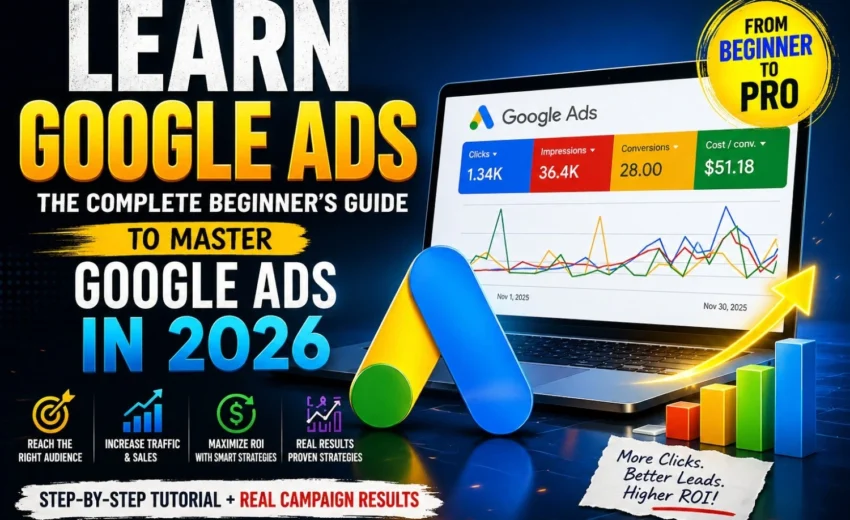
If you want to grow a business online, one of the most valuable skills you can develop is learning how to run effective digital advertising campaigns. When you learn Google Ads, you gain the ability to reach potential customers exactly when they are searching for products or services like yours.
Google Ads is the advertising platform developed by Google that allows businesses to promote their products and services across multiple Google properties, such as Google Search, YouTube, and millions of partner websites through the Google Display Network.
Unlike traditional advertising, Google Ads lets businesses target users who already show intent by searching for relevant keywords. This makes it one of the most powerful tools in modern digital marketing.
In this guide, you will learn Google Ads step by step, understand how campaigns work, and discover practical strategies used by marketers to run successful campaigns in 2026.
What is Google Ads?
Google Ads is a digital advertising platform based mainly on the Pay-Per-Click (PPC) model.
With PPC advertising, businesses pay only when a user interacts with their ad, typically by clicking on it.
Ads can appear across several Google platforms, including:
- Google Search results pages
- YouTube videos
- Websites on the Google Display Network
- Product listings on Google Shopping
Google Ads also integrates with powerful tools such as:
- Google Analytics
- Google Tag Manager
- Google Keyword Planner
These tools help marketers track performance and optimize campaigns based on real data.
Why Businesses Should Learn Google Ads
Businesses across industries invest heavily in Google Ads because it offers precision targeting and measurable results.
1. High Intent Traffic
People searching on Google often already have a clear need.
For example:
Search query:
“best digital marketing agency near me”
This indicates the user is actively looking to hire a service, which means higher conversion potential.
2. Massive Audience Reach
Every day, billions of searches are performed on Google, and billions of videos are watched on YouTube.
This allows advertisers to reach a global audience.
3. Flexible Budget Control
Google Ads allows businesses to set:
- Daily budgets
- Maximum bids
- Campaign limits
This makes the platform accessible even for small businesses.
4. Measurable Performance
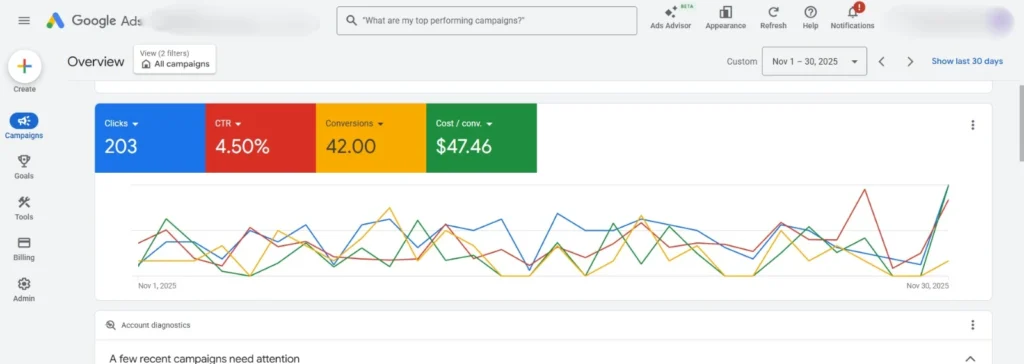
Google Ads provides detailed performance metrics such as:
- Click-Through Rate (CTR)
- Cost-Per-Click (CPC)
- Conversion Rate
- Return on Ad Spend (ROAS)
With these metrics, businesses can continuously improve campaign performance.
Step-by-Step Guide to Learn Google Ads
Step 1: Create a Google Ads Account
To start learning Google Ads, the first step is creating an account.
Steps:
- Visit the Google Ads website
- Sign in using your Google Account
- Enter your business details
- Add billing information
- Choose your campaign objective
Common campaign objectives include:
- Sales
- Leads
- Website traffic
- Brand awareness
- App promotion
Step 2: Understand Google Ads Campaign Types
Google Ads offers multiple campaign formats depending on marketing goals.
Search Campaigns
Search campaigns display text ads on Google Search results pages.
These ads are ideal for capturing users with high purchase intent.
Example keyword:
Display Campaigns
Display campaigns show visual ads on websites across the Google Display Network.
These ads are commonly used for:
- Brand awareness
- Remarketing campaigns
- Product promotions
Video Campaigns
Video campaigns allow businesses to advertise on YouTube.
These ads are useful for:
- Brand storytelling
- Product demonstrations
- Customer testimonials
Shopping Campaigns
Shopping ads appear in Google Shopping results and display product images, prices, and store names.
They are particularly effective for e-commerce businesses.
App Campaigns
App campaigns promote mobile applications across:
- Google Search
- YouTube
- Google Play
Step 3: Keyword Research
Keyword research is one of the most important skills when learning Google Ads.
Keywords represent the search queries users type into Google.
Tools for keyword research include:
- Google Keyword Planner
- SEMrush
- Ahrefs
Important keyword match types include:
- Broad Match
- Phrase Match
- Exact Match
You should also add negative keywords to prevent irrelevant clicks.
Example:
If you sell premium services, you may exclude the keyword:
“free”
Step 4: Writing High-Converting Ads
Ad copy plays a major role in campaign success.
A strong ad should include:
A Clear Headline
Example:
“Affordable Digital Marketing Services – Free Consultation”
Persuasive Description
Highlight benefits instead of just features.
Example:
“Boost your website traffic with data-driven marketing strategies.”
Strong Call-to-Action (CTA)
Examples include:
- “Get Started Today”
- “Book Your Free Consultation”
- “Sign Up Now”
Step 5: Budget and Bidding Strategies
Budget management is critical when running campaigns.
Common bidding strategies include:
Manual CPC
Advertisers manually set the maximum Cost-Per-Click.
Maximize Conversions
Google automatically adjusts bids to generate more conversions.
Target ROAS
This strategy focuses on achieving a specific Return on Ad Spend.
Modern Google Ads campaigns increasingly rely on AI-driven Smart Bidding to optimize performance.
Step 6: Audience Targeting
Targeting options help advertisers reach the most relevant users.
Google Ads targeting includes:
Location Targeting
Show ads in specific:
- Cities
- Regions
- Countries
Device Targeting
Ads can be shown on:
- Mobile devices
- Desktop computers
- Tablets
Audience Segments
Advertisers can target users based on:
- Interests
- Search behavior
- Website interactions
Step 7: Use Ad Extensions
Ad extensions increase ad visibility and improve click-through rates.
Common extensions include:
- Sitelink extensions
- Call extensions
- Location extensions
- Structured snippet extensions
For example, location extensions show your business address directly in search results.
Step 8: Improve Quality Score
Quality Score is an important metric in Google Ads.
It depends on three main factors:
- Ad relevance
- Expected CTR
- Landing page experience
A higher Quality Score can:
- Lower advertising costs
- Improve ad ranking
- Increase visibility
Step 9: Conversion Tracking
Conversion tracking helps measure campaign success.
Using tools like Google Analytics and Google Tag Manager, advertisers can track actions such as:
- Purchases
- Form submissions
- Phone calls
- App installs
These insights help marketers optimize campaigns for better results.
Step 10: Continuous Optimization
Google Ads campaigns require ongoing improvement.
Successful marketers regularly:
- Perform A/B testing
- Refine keyword lists
- Adjust bidding strategies
- Improve landing pages
- Run remarketing campaigns
Remarketing allows advertisers to show ads to users who previously visited their website but did not convert.
Emerging Google Ads Trends in 2026
Digital advertising continues to evolve rapidly.
Important trends include:
AI-Driven Automation
Machine learning helps optimize:
- Bidding strategies
- Audience targeting
- Ad creation
Voice Search Advertising
More users now search using voice assistants, which is changing keyword strategies.
Visual Search Ads
Google is expanding image-based search advertising across multiple platforms.
Marketers who learn Google Ads and adapt to these trends will have a competitive advantage.
Final Thoughts
In today’s digital economy, mastering online advertising is essential for business growth. When you learn Google Ads, you gain the ability to attract highly targeted traffic, generate leads, and grow your brand.
By understanding:
- Campaign structure
- Keyword research
- Ad copywriting
- Budget strategies
- Audience targeting
- Conversion tracking
You can create effective campaigns that deliver measurable results.
The key to success with Google Ads is continuous learning, testing, and optimization.
Start experimenting with campaigns, analyze performance data, and refine your strategy over time. With consistent effort, Google Ads can become one of the most powerful tools in your digital marketing strategy.
Alfik P S
hi