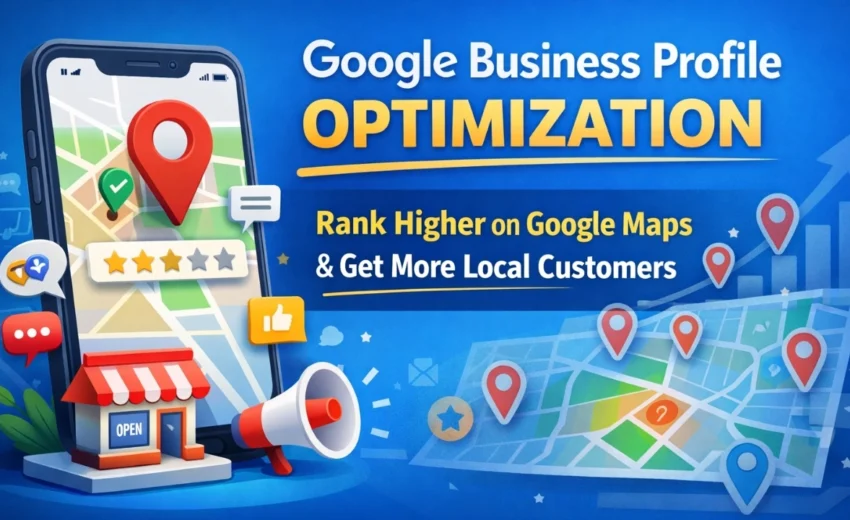

In today’s competitive digital landscape, appearing in local search results is one of the most effective ways to attract customers. When people search for services like “digital marketing agency near me” or “best bakery in Kochi,” the businesses they see first usually come from the Google Business Profile (formerly Google My Business) listings on Google Maps and Google Search.
For many local businesses, this profile acts as a digital storefront. Customers can view your location, check reviews, explore photos, and contact you without even visiting your website.
However, simply creating a profile is not enough. To compete with other businesses in your area, you need a clear
Google Business Profile Optimization strategy.
This guide explains how the platform works and the key steps businesses can take to improve their Google Maps ranking and local search visibility.
What Is Google Business Profile?
A Google Business Profile is a free tool that allows businesses to manage how their company appears across Google Search and Google Maps.
With a well-optimized profile, businesses can:
- Display their business location and contact information
• Show customer reviews and ratings
• Upload photos and updates
• Allow customers to call, message, or request directions
For many local searches, users interact with the Business Profile directly on the search results page, meaning your profile can influence customer decisions before they even visit your website.
Why Google Business Profile Matters for Local SEO
When users search for local services, Google often displays a section called the Local Pack—a group of three business listings shown on a map.
These results are influenced by three primary factors used in Search Engine Optimization for local search:
Relevance
How well your business matches what the user is searching for.
Distance
How close your business is to the searcher’s location.
Prominence
How well-known and trusted your business appears online through reviews, mentions, and authority signals.
Optimizing your Business Profile improves these signals, increasing your chances of appearing in the top local results on Google Maps
How To Google Business Profile Optimization
If your business does not yet appear on Google Maps, you can create a profile through Google Business Profile Manager.
The setup process typically includes:
- Adding your business name and category
- Entering your address or service area
- Providing your phone number and website
- Completing verification
Verification may occur through phone, email, postcard, or video confirmation. This step ensures that the business is legitimate and helps Google trust the information in your profile.
10 Key Strategies to Optimize Your Google Business Profile
1. Complete Every Section of Your Profile
A fully completed profile helps Google better understand your business.
Important details include:
- business name
• address
• phone number
• website
• opening hours
• services and products
Profiles with complete information are more likely to appear in relevant search results.
2. Choose the Correct Business Category
Your primary category is one of the strongest ranking signals.
For example, a company offering digital marketing services should select “Digital Marketing Agency” rather than a broader category like “Advertising Agency.”
You can also add secondary categories to increase visibility for additional services.
3. Keep Your NAP Information Consistent
NAP stands for Name, Address, and Phone number.
Search engines compare this information across your:
- . website
• online directories
• social media profiles
• local listings
Consistent NAP information strengthens trust signals and improves local search visibility.
4. Write a Clear Business Description
Your business description allows you to explain:
- what your company does
• the services you provide
• the areas you serve
• what makes your business unique
Google recommends writing a natural and informative description instead of repeating keywords unnecessarily.
5. Upload High-Quality Photos
Photos help potential customers understand your business and increase engagement.
Businesses that regularly upload images often receive:
- more direction requests
• more phone calls
• higher website clicks
Useful photo types include:
• storefront images
• team photos
• products or services
• workspace or interior shots
6. Encourage Customer Reviews
Customer reviews play a major role in local search rankings and customer trust.
Businesses with strong ratings and frequent reviews are more likely to appear in top Google Maps results.
Encourage satisfied customers to leave reviews and always respond to feedback.
Responding to reviews shows that your business values customer experience and remains active online.
7. Post Updates on Your Business Profile
You can publish Google Posts directly from your profile to share updates such as:
- promotions
• offers
• events
• announcements
These posts appear in your profile and can increase user engagement.
8. Use the Questions and Answers Section
Customers can ask questions directly on your profile.
You can improve this section by answering frequently asked questions such as:
- service availability
• pricing information
• appointment booking
Providing helpful answers reduces customer hesitation and improves profile usefulness.
9. Add Products and Services
Listing your services helps Google understand your offerings and match them with relevant searches.
Each service should include:
- service name
• short description
• pricing (optional)
This additional information increases your chances of appearing for more search queries.
10. Keep Your Profile Active
Optimizing your profile is not a one-time task.
To maintain visibility, businesses should regularly:
- upload new photos
• respond to customer reviews
• publish updates
• update business information when needed
Active profiles signal to Google that the business is legitimate and engaged with customers.
Common Google Business Profile Mistakes
Many businesses fail to rank in local search results because they:
- choose incorrect categories
• ignore customer reviews
• leave profiles incomplete
• use inconsistent business information
• rarely update their listings
Avoiding these mistakes can significantly improve your Google Maps visibility and local search performance.
Final Thoughts
Your Google Business Profile is one of the most powerful tools for attracting nearby customers. A well-optimized profile can help your business appear in Google Search, rank higher on Google Maps, and generate more calls, website visits, and store visits.
However, achieving strong local rankings requires consistent effort. Businesses must maintain accurate information, collect customer reviews, publish updates, and continuously improve their local SEO strategy.
When managed properly, a Google Business Profile can become a powerful channel for local visibility, customer trust, and business growth.
Alfik P S
hi