Search engine optimization has changed dramatically in the past few years. With continuous algorithm updates from Google, the rise of AI-generated content, and new ranking signals like Core Web Vitals, ranking a website requires more than just writing content.
SEO professionals now need to analyze keywords, competitors, backlinks, and technical performance quickly.
This is where SEO extensions become extremely valuable.
Instead of switching between multiple SEO tools and dashboards, SEO Chrome extensions provide real-time SEO insights directly inside your browser. While browsing websites or searching on Google, these tools instantly reveal keyword data, technical SEO problems, backlink information, and competitor insights.
Whether you are a blogger, freelancer, digital marketer, or website owner, the right SEO extensions can significantly improve your workflow.
With powerful SEO extensions, you can perform tasks such as:
- Keyword research and search volume analysis
- On-page SEO audits
- Backlink analysis
- Technical SEO checks
- Competitor research
- SERP analysis
In this guide, we’ll explore 10 of the most useful SEO extensions for Chrome in 2026, explain how they work, and share practical ways to use them.
Why SEO Extensions Are Important for Modern SEO
Modern SEO requires fast decision-making and continuous analysis. Instead of manually checking multiple tools, SEO extensions provide instant insights as you browse websites or search results.
Here are the main reasons SEO professionals rely on them.
1. Faster Keyword Research
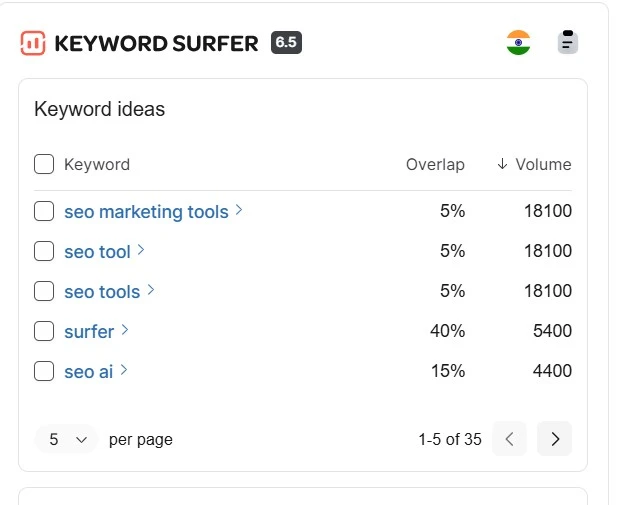
Extensions like Keyword Surfer show keyword search volume directly in Google Search results.
This helps marketers:
- Identify high-volume keywords instantly
- Discover long-tail keyword opportunities
- Analyze keyword competition quickly
For example, when searching a topic like “SEO extensions,” Keyword Surfer instantly shows related keywords that can be used for blog topics.
2. Instant On-Page SEO Analysis
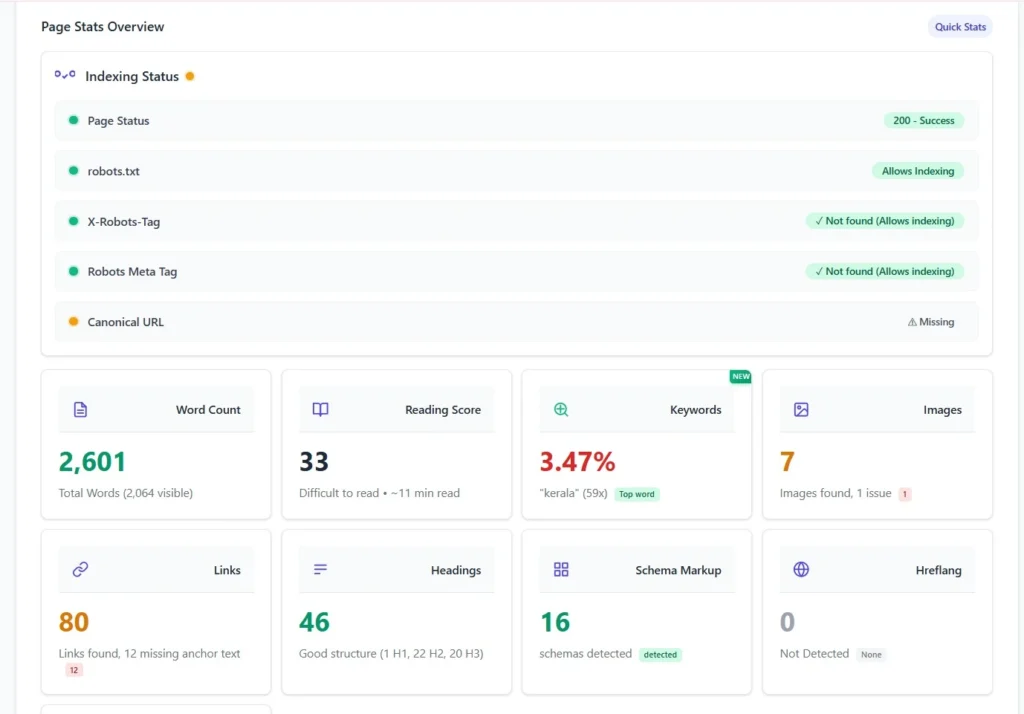
Tools like SEO Minion and Detailed SEO Extension allow you to inspect important SEO elements on any webpage.
You can quickly analyze:
- Meta titles
- Meta descriptions
- Heading structure (H1–H6)
- Internal and external links
- Canonical tags
This helps content creators understand why certain pages rank higher in search results.
3. Technical SEO Problem Detection
Technical issues such as redirect chains, broken links, and page speed problems can harm search rankings.
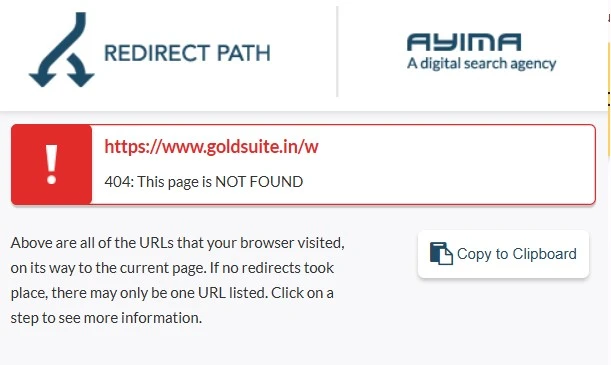
SEO extensions like Redirect Path and Google Lighthouse identify these problems instantly.
For example, when auditing a webpage using Redirect Path, you can quickly detect a 301 → 302 redirect chain, which may slow down crawling.
4. Competitor Research
SEO extensions also help marketers understand competitor strategies.
Using tools like Wappalyzer and SimilarWeb, you can discover:
- competitor traffic sources
- technology stack
- analytics tools used
- marketing platforms
This information helps improve your own SEO strategy.
Top 10 Most Useful SEO Extensions for Chrome in 2026
Below are the most powerful and widely used SEO extensions that help with keyword research, on-page optimization, and technical SEO.
1. SEO Action Plan
Best for: Structured SEO workflow and optimization planning
The SEO Action Plan is designed to help marketers follow a structured SEO process rather than apply SEO techniques haphazardly.
Many beginners know basic SEO concepts but struggle with what to optimize first. This extension provides a step-by-step checklist that helps prioritize SEO tasks.
Key Features
- SEO task checklist
- Content optimization guidance
- Technical SEO recommendations
- Progress tracking for SEO improvements
Why It’s Useful
SEO often fails when optimizations are done in the wrong order. This tool helps focus on high-impact improvements first, such as keyword optimization, internal linking, and technical fixes.
Best For
- SEO beginners
- content marketers
- Freelancers managing multiple websites
2. Keyword Surfer
Best for: Keyword research directly in search results
Keyword Surfer is one of the easiest SEO extensions for keyword research.
It displays keyword data directly in Google search results, allowing marketers to analyze search demand without opening additional tools.
Key Features
- Keyword search volume
- Related keyword suggestions
- estimated traffic for ranking pages
- content ideas for blog posts
Practical Use
When researching blog topics, Keyword Surfer can reveal related long-tail keywords such as:
- best SEO Chrome extensions
- free SEO extensions for beginners
These insights help create content that matches real search demand.
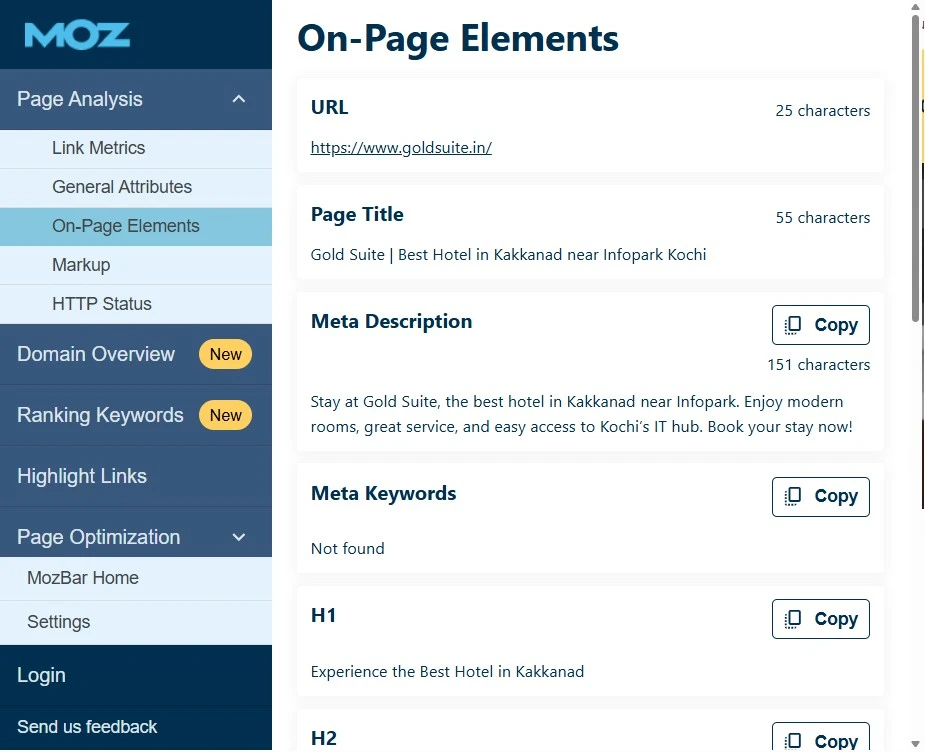
3. MozBar
Developed by Moz, MozBar is one of the most trusted SEO extensions for evaluating website authority.
Key Features
- Domain Authority (DA)
- Page Authority (PA)
- link metrics
- SERP overlay analysis
Why It’s Useful
When analyzing competitors, MozBar quickly shows how strong their domains are. If search results are dominated by high-authority websites, targeting long-tail keywords may be a better strategy.
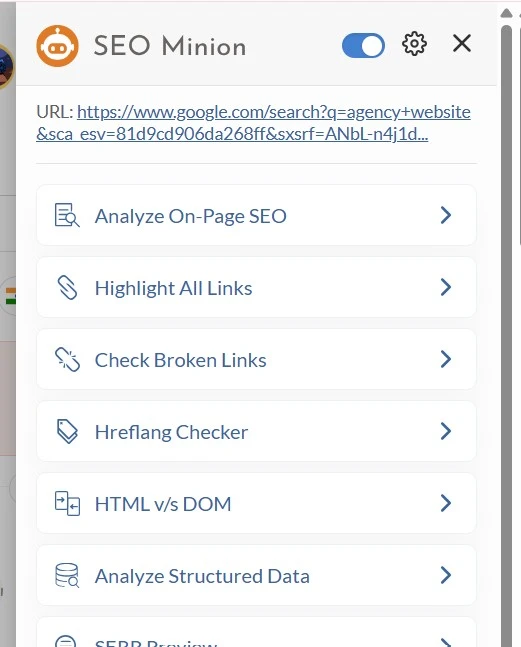
4. SEO Minion
SEO Minion is a versatile SEO extension used for everyday SEO tasks.
Key Features
- On-page SEO analysis
- broken link detection
- SERP preview
- hreflang tag checker
Practical Use
When reviewing a competitor’s blog post, SEO Minion can highlight:
- heading structure
- missing meta tags
- broken links
This helps improve your own content.
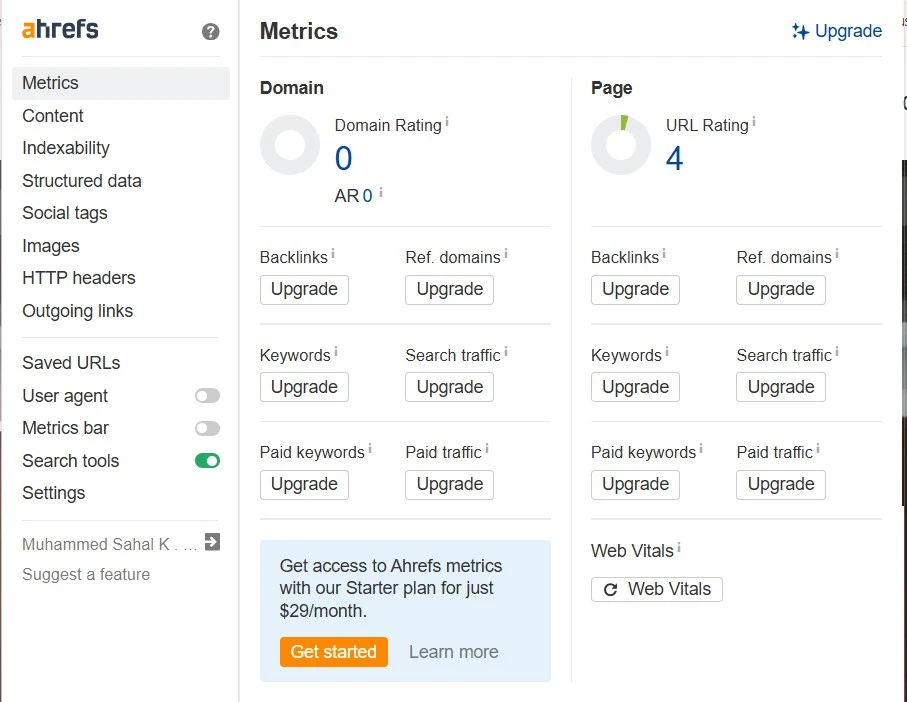
5. Ahrefs SEO Toolbar
Created by Ahrefs, the Ahrefs SEO Toolbar provides advanced SEO insights.
Key Features
- backlink metrics
- referring domains
- keyword data
- SERP analysis
Why It’s Useful
Backlinks remain one of the strongest ranking factors. The Ahrefs toolbar helps identify why certain pages rank higher in search results.
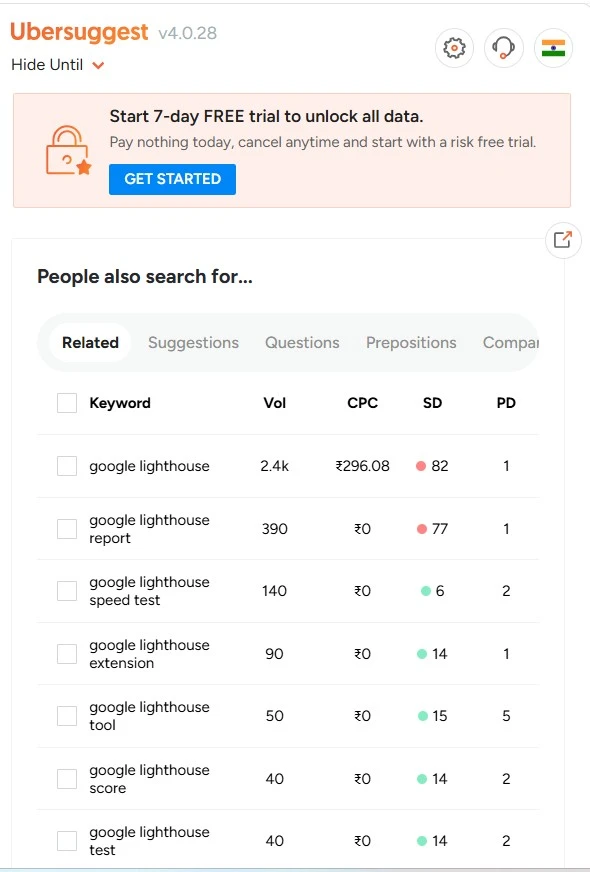
6. Ubersuggest Chrome Extension
Developed by Neil Patel, the Ubersuggest extension helps analyze keywords and competitors.
Key Features
- keyword suggestions
- traffic estimates
- domain SEO analysis
- backlink data
Practical Use
When analyzing competitor domains, Ubersuggest reveals which keywords drive the most traffic.
7. Redirect Path
Redirect Path helps identify technical SEO problems related to redirects.
Key Features
- HTTP status codes (301, 302, 404)
- redirect chain detection
- canonical tag visibility
Why It’s Useful
Incorrect redirects can waste crawl budget and slow down indexing.
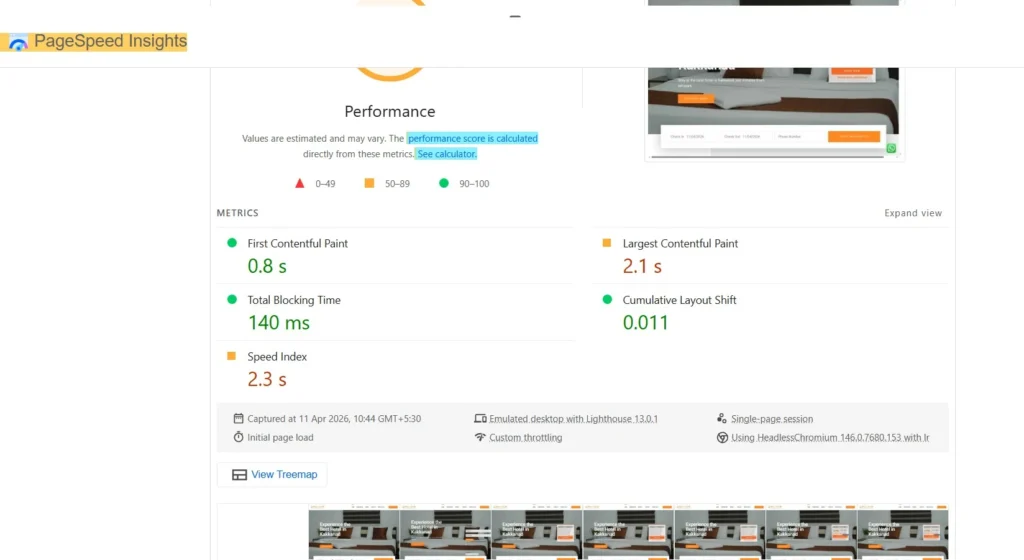
8. Google Lighthouse
Google Lighthouse is a performance audit tool created by Google.
Key Features
- page speed analysis
- Core Web Vitals testing
- accessibility audits
- SEO best-practice checks
Improving these metrics helps improve both user experience and search rankings.
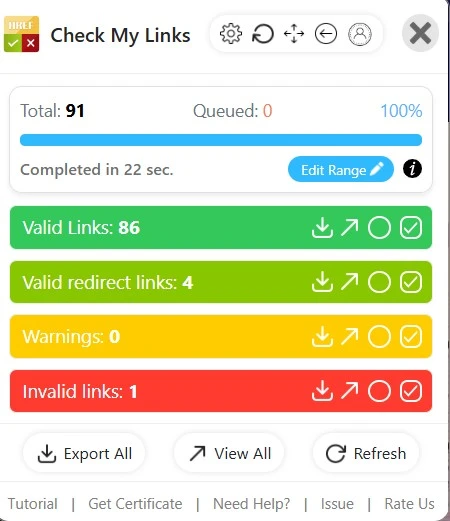
9. Check My Links
Check My Links scans webpages and highlights broken links.
Key Features
- identifies broken internal links
- detects broken external links
- color-coded results
Fixing broken links improves both SEO performance and user experience.
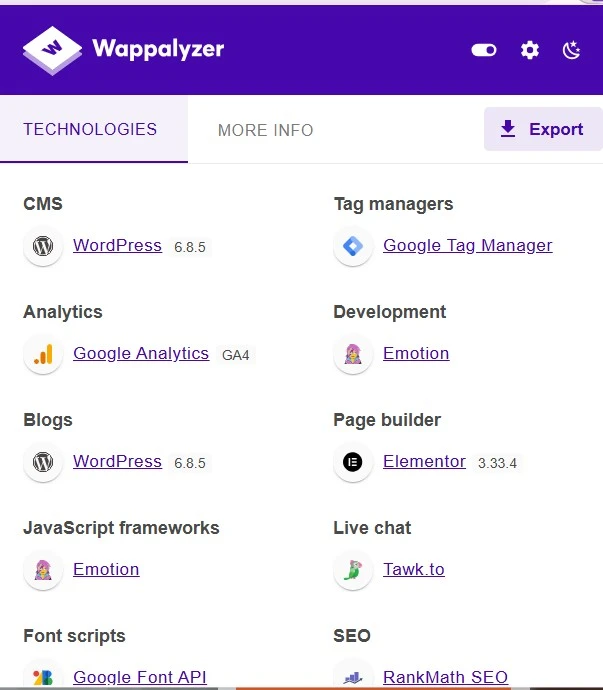
10. Wappalyzer
Wappalyzer reveals the technology stack behind websites.
Key Features
- detects CMS platforms like WordPress
- identifies analytics tools like Google Analytics
- shows hosting and marketing tools
This helps marketers understand what technologies competitors are using.
Best SEO Extensions for Beginners
If you are new to SEO, start with these three tools:
- Keyword Surfer – for keyword research
- SEO Minion – for on-page SEO analysis
- Check My Links – for technical SEO checks
These tools cover the core fundamentals of SEO.
Final Thoughts
SEO extensions are powerful productivity tools that help marketers analyze websites, research keywords, and identify SEO problems directly inside Google Chrome.
Using tools like Keyword Surfer, MozBar, SEO Minion, Ahrefs Toolbar, Ubersuggest, Redirect Path, Google Lighthouse, Check My Links, and Wappalyzer can significantly improve your SEO workflow.
Instead of installing dozens of tools, choose 5–7 essential SEO extensions that match your workflow.
Combined with high-quality content, strong backlinks, and proper optimization, these SEO extensions can help improve your website’s rankings in 2026 and beyond.
Alfik P S
hi