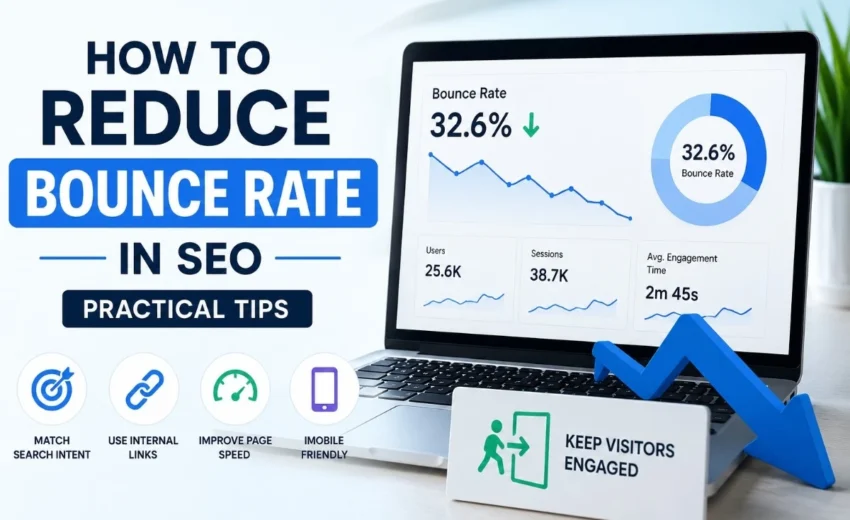
Getting a user to click on your link is only the first step. If they leave without interacting further, that counts as a bounce. A high bounce rate can sometimes mean your content or user experience needs work, but context matters.
This guide explains practical ways to reduce bounce rate and improve user engagement. You will learn what bounce rate really means, why it matters (and when it doesn’t), and nine actionable tips to keep visitors on your site longer.
What Is Bounce Rate?
Bounce rate is the percentage of visitors who land on a page and leave without taking any action – like clicking another link, filling a form, or making a purchase.
For example, if 100 people visit a page and 60 leave instantly, the bounce rate is 60%.
Important nuance: A high bounce rate is not always bad. A user might find exactly what they need (a phone number, an address, a quick answer) and leave satisfied. Contact pages, location pages, and single‑page articles can have high bounce rates but still be successful. So context always matters.
In Google Analytics 4 (GA4), bounce rate is defined as the percentage of sessions that were not engaged. An engaged session lasts longer than 10 seconds, has at least one conversion event, or has two or more page views. This new definition gives you a more realistic picture of user behaviour.
When Should You Worry About a High Bounce Rate?
Not all high bounce rates are problems. Here are some scenarios where a high bounce rate is normal:
Blog posts that answer a simple question – A user searches “what time does the nearest pharmacy close?” finds the answer, and leaves. That is success, not failure.
Contact or location pages – A visitor lands, gets the address or phone number, and closes the tab. High bounce rate is expected.
Single‑page applications or long‑form content – If all the value is on one page, users may not click to another page. That does not mean they are unhappy.
However, a high bounce rate is worth investigating when:
Your page is meant to drive further action (like a product page or lead generation form), but users leave immediately.
Your bounce rate is significantly higher than similar pages on your own site or industry averages.
Your time on page is also very low, suggesting users are not even reading.
Does Bounce Rate Affect SEO Rankings?
Google has never confirmed bounce rate as a direct ranking factor. You can read Google’s public statements on this – they have repeatedly said that bounce rate is not a direct ranking signal.
However, better engagement – such as longer time on page, more interactions, or lower pogo‑sticking (clicking a result and quickly returning to search) – can support stronger user experience signals. And user experience does affect rankings indirectly.
In other words: Do not obsess over lowering bounce rate just for SEO. Instead, focus on creating content that genuinely satisfies user intent and provides a smooth experience. The numbers will follow.
9 Practical Tips to Reduce Bounce Rate
Below are nine specific changes you can make. Each one addresses a common reason why people leave quickly.
1. Match Search Intent
If your page does not match what users expect, they are more likely to leave quickly. Before writing, search your target keyword and look at the top 5 results. Notice what format they use (list, buying guide, product page, video). Then ensure your headline and first paragraph directly answer the query.
2. Improve Readability and Formatting
Long paragraphs scare people away. On a mobile screen, a wall of text is almost impossible to read.
Simple fixes:
Keep paragraphs to 2–3 sentences max.
Use subheadings every 2–3 paragraphs.
Use bullet points or numbered lists where appropriate.
Bold key phrases (but sparingly).
A scannable page keeps users engaged because they can quickly find what they need.
3. Add Internal Links Thoughtfully
Internal links give visitors a natural next step. If someone finishes reading your post and sees a link to a related guide, they are more likely to click and stay on your site.
Best practices:
Link to genuinely relevant content. Do not force links just for SEO.
Use descriptive anchor text. “Read our guide on keyword research” is better than “click here.”
Space links naturally throughout the content, not just at the bottom.
For example, if you have a post on improving click‑through rates, link to it from this bounce rate article where relevant.
4. Speed Up Your Page
Slow pages can reduce engagement and increase the likelihood of users leaving. Even a one‑second delay can noticeably increase bounce rate.
What to do:
Use Google PageSpeed Insights or GTmetrix to test your site.
Aim for good Core Web Vitals scores, including Largest Contentful Paint (LCP) under 2.5 seconds, Interaction to Next Paint (INP) under 200 milliseconds, and Cumulative Layout Shift (CLS) under 0.1.
Compress images, use a caching plugin, and choose a fast hosting provider.
Mobile speed is especially important because most traffic now comes from phones.
5. Hook Readers Above the Fold
The “above the fold” area is what a user sees before scrolling. If that section is vague, boring, or misleading, they will bounce.
How to hook them:
Restate the user’s problem in the first sentence.
Clearly state what the page offers. For example: “This guide shows you three ways to reduce bounce rate without changing your content.”
Avoid long introductions or brand stories at the top. Get to the point.
6. Use Visuals Strategically
Images, simple charts, or short videos break up text and keep attention. But do not add visuals just for decoration.
Effective uses:
A screenshot showing how to find bounce rate in Google Analytics.
A simple chart comparing bounce rate benchmarks by industry.
A relevant photo that supports the topic (not generic stock photos).
Videos can increase time on page significantly, but keep them short (under 2 minutes) and auto‑play off.
7. Make Content Actionable
If a user reads your entire post but finds no clear takeaway, they may feel their time was wasted.
Give them something to do:
A summary checklist at the end.
A free template or worksheet.
A prompt to apply one tip immediately.
A link to a tool or resource.
Actionable content also encourages social shares and return visits.
8. Write Clear Calls to Action (CTAs)
A weak or missing CTA leaves users confused about what to do next. But a pushy or irrelevant CTA can also increase bounce rate.
Better CTAs:
“Read the next part of this guide” (for series content)
“Download the free checklist” (for lead magnets)
“See our recommended tools” (for resource pages)
Place CTAs naturally – after a key point or at the end of a section. Avoid pop‑ups that appear immediately. If you use pop‑ups, trigger them after scroll (e.g., 50% of the page) or on exit intent.
9. Consider Mobile Behaviour and Modern Metrics
Most traffic now comes from mobile devices. If your site is not mobile‑friendly, users will bounce.
Mobile checklist:
Buttons and links are easy to tap (at least 48px spacing).
Font size is at least 16px, so users do not have to zoom.
No intrusive interstitials that block content (Google penalises these).
Pop‑ups are easy to close.
Also track modern engagement metrics:
Scroll depth – how far users scroll down the page.
Time on page – average reading time.
Interaction rate – clicks on links, buttons, or embedded content.
Tools like Google Analytics 4, Hotjar, or Microsoft Clarity can show you these signals. Use them to identify exactly where users lose interest.
Common Misconceptions About Bounce Rate
Misconception 1: A low bounce rate is always good. Not true. If you artificially lower bounce rate by adding irrelevant internal links or slowing down page transitions, you hurt user experience. Focus on genuine value.
Misconception 2: Google uses bounce rate to rank pages. No official confirmation. Google uses many signals, but bounce rate alone is not a direct ranking factor.
Misconception 3: You need to reduce bounce rate on every page. Some pages exist as “exit points” – a thank‑you page after a form submission, for example. High bounce rate on those pages is fine.
How to Measure Bounce Rate Correctly
Use Google Analytics 4. In GA4, bounce rate is the inverse of engaged sessions. An engaged session meets any of these criteria:
Lasts longer than 10 seconds
Has at least one conversion event
Has at least two page views
So a session that lasts 15 seconds with one page view is not a bounce. That is a more accurate reflection of user interest.
To find bounce rate in GA4:
Go to Reports → Engagement → Pages and screens.
Add the metric “Bounce rate” to your table.
Compare bounce rates across different page types.
Set benchmarks based on your own site’s average, not arbitrary industry numbers
Final Thoughts
Reducing bounce rate is not about forcing people to stay. It is about giving them a reason to stay. Match search intent, improve speed and readability, add relevant internal links, and pay attention to mobile behaviour.
Do not obsess over a single number. A high bounce rate on a contact page might be fine. Look at the full picture – scroll depth, time on page, conversions – and improve user experience step by step.
Start with one or two tips from this guide. Implement them, measure the results over 30 days, and then move to the next. Small, consistent improvements will lead to better engagement and, ultimately, better SEO performance.