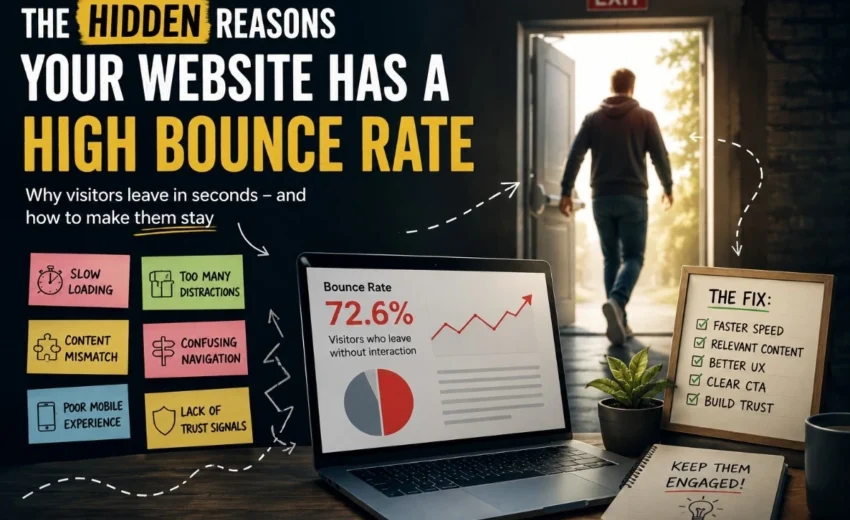

Getting traffic to your website is important. But traffic alone does not guarantee leads, sales, or engagement.
Many businesses invest in SEO, paid ads, and social media to bring visitors to their websites. People arrive, browse for a few seconds, and then leave without taking any action.
This is often connected to a high bounce rate.
The good news is that most bounce rate problems can be identified and fixed.
Let’s look at the hidden reasons why visitors leave — and what you can do to keep them engaged.
What Is Bounce Rate?
Bounce rate is the percentage of visitors who leave your website without engaging in any meaningful interaction.
For example, if someone visits a page and leaves without clicking another page, filling out a form, or engaging with content, that may count as a bounce.
Note: A high bounce rate is not always bad. For blogs or news sites, 60–80% is normal. For landing pages or online stores, aim for 30–50%.
1. Your Website Loads Too Slowly
If a page takes more than a few seconds to load, many visitors leave before reading anything.
Common causes:
- Large image files
- Too many plugins
- Slow hosting
Fix: Use tools like Google PageSpeed Insights. Compress images and upgrade your hosting.
2. Your Content Does Not Match Expectations
People click links expecting specific information.
If your headline promises one thing, but the page delivers something else, visitors leave quickly.
Example:
A person clicks “Best budget laptops under $500,” but lands on a generic homepage. They leave immediately.
Fix: Make sure every page delivers exactly what the headline or ad promises.
3. Poor Mobile Experience
Most visitors now use smartphones. If your site has small text, hard-to-tap buttons, or broken layouts, users will bounce.
Fix: Use a mobile-friendly theme and test your site on real phones.
4. Too Many Popups and Distractions
Popups can help, but too many interruptions annoy visitors.
Examples of bad distractions:
- Full-screen popups on arrival
- Auto-playing videos
- Multiple signup requests
Fix: Use popups sparingly. Let people read first.
5. Confusing Navigation
Users should immediately understand where to go next. If they can’t find product details, pricing, or contact info, they leave.
Fix: Keep menus simple. Add a search bar. Make important links easy to find.
6. Hard-to-Read Content
Most people scan webpages. Large blocks of text are difficult to read.
Fix:
- Use short paragraphs
- Add headings and bullet points
- Leave white space
Clear formatting keeps visitors engaged.
7. Attracting the Wrong Audience
Sometimes the problem isn’t your website — it’s your traffic.
If visitors come from unrelated keywords or broad ads, they will leave because the content doesn’t match their interests.
Fix: Review your search terms. Pause campaigns that bring irrelevant traffic. Relevant traffic is better than high traffic.
8. Weak or Missing Calls-to-Action (CTAs)
Visitors need direction. If a page doesn’t tell them what to do next, they leave.
Good CTAs:
Get Started, Contact Us, Download the Guide, Book a Consultation
Fix: Place a clear CTA above the fold and another at the end of the page.
9. Missing Trust Signals
If your site looks outdated or lacks contact information, visitors hesitate.
Trust signals that help:
- Customer reviews
- Testimonials
- Clear contact page
- Secure payment badges (for stores)
Fix: Add these to landing pages and checkout pages.
When a High Bounce Rate Is Actually Normal
Not every high bounce rate is a problem.
- Blog posts often have a 70–90% bounce rate — readers get the answer and leave satisfied.
- Contact pages may have a high bounce rate because users find the phone number and call you.
Key insight: Focus on how long people stay and whether they take action — not just bounce rate alone.
How to Find Your Specific Bounce Rate Problem
Use free tools like Google Analytics 4 or Microsoft Clarity to watch user behavior and measure bounce rate by device or traffic source.
Ask yourself:
- Is mobile bounce rate higher than desktop? → Fix mobile experience.
- Does a specific traffic source have a high bounce rate? → Fix mismatched expectations.
- Do specific pages have a high bounce rate? → Improve speed, content, or CTA.
Quick Checklist
Before publishing a page, ask:
✔ Does it load quickly?
✔ Does the headline match the content?
✔ Does it work well on mobile?
✔ Is navigation simple?
✔ Is the content easy to scan?
✔ Is there a clear call-to-action?
✔ Does the page look trustworthy?
Final Thoughts
High bounce rates usually come from small issues — not one big mistake.
Slow speed, mismatched content, poor mobile experience, and confusing design all push visitors away. But sometimes, a high bounce rate is perfectly normal.
Stop worrying about the number alone. Instead, focus on improving the experience. Traffic gets people through the door. A better experience encourages them to stay.
What’s your next step? Check your top landing pages in Google Analytics. Pick one fix from this list and try it. You may start seeing useful insights and improvements over time.
Alfik P S
hi