If that sounds familiar, the problem probably isn’t your ads or your offers. In most cases, it’s poor targeting. Your ads are showing up for people who were never going to convert. That means wasted spend and poor ROI.
The fix? Negative keywords.
The Real Problem: Paying for Clicks That Will Never Convert
Most advertisers focus on picking the right keywords to target. But they forget to decide what not to target.
For example, let’s say you sell luxury vinyl flooring. You target the keyword “vinyl flooring.” Your ad might also appear for searches like:
“free vinyl flooring samples”
“vinyl flooring installation cost DIY”
“cheap vinyl flooring rolls.”
These people are not your ideal customers. Some want freebies, some are DIYers looking for tutorials, and others are bargain hunters. They may click your ad, but they won’t buy.
And you pay for every single one of those clicks.
Over a month, that can burn 20–40% of your budget with zero return.
What Are Negative Keywords?
Negative keywords are search terms you add to your campaign to tell Google Ads: “Don’t show my ad for this.”
For instance, if you add “free” as a negative keyword, your ad won’t appear for any search containing that word (depending on match type – more on that below).
This simple filter helps you:
Stop paying for irrelevant clicks
Attract higher-quality traffic
Improve your conversion rate
Why Negative Keywords Are Essential (With Real Numbers)
Let’s look at a real example from Mindover Maze, a PPC agency.
We audited a flooring company’s Google Ads account. The account was getting a lot of clicks – but almost no sales.
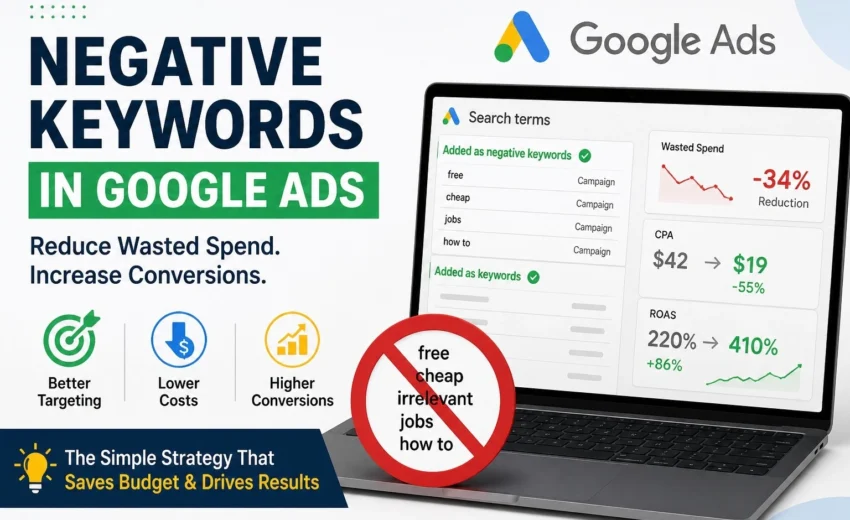
We pulled the Search Terms Report and found that 34% of all clicks came from irrelevant searches like “free flooring samples,” “vinyl flooring tutorial,” and “flooring jobs near me.”
We added a negative keyword list with terms like: free, cheap, DIY, tutorial, how to install, samples, jobs, career, course.
Results after two weeks:
Metric
Before
After
Wasted clicks (irrelevant)
34%
6%
Conversion rate
1.5%
3.8%
Cost per acquisition (CPA)
$42
$19
Return on ad spend (ROAS)
220%
410%
Total clicks dropped – but quality skyrocketed. The client saved $1,200/month in wasted spend and doubled their conversions.
Key takeaway: More traffic isn’t the goal. Profitable traffic is.
Types of Negative Keywords (And a Critical Warning)
Google Ads has three match types for negative keywords. Choosing the wrong one can accidentally block good traffic.
Match Type
Example
Blocks searches that…
Caution
Broad
free
contain the word “free” anywhere
⚠️ Blocks “freelance marketing” if you only meant “free download” – use carefully
Phrase
“free samples”
contain the exact phrase “free samples” in that order
Safer than broad
Exact
[free vinyl flooring]
match that exact query only
Safest for precision
Common mistake to avoid: Using a negative broad match for short words like “job” can block useful searches like “flooring job quote” or “project job cost.” Always review your Search Terms Report before adding negatives.
How to Find Your Negative Keywords in Google ads
Step 1: Go to the Search Terms Report
In Google Ads, navigate to Campaigns → Keywords → Search Terms. This shows you exactly what people typed before clicking your ad.
Step 2: Spot low‑intent patterns
Look for words that signal the user is not ready to buy:
free, cheap, discount, coupon
tutorial, how to, DIY, guide
jobs, career, salary, course, certification
download, torrent, open source
Step 3: Create a negative keyword list
Build a list in Keywords → Negative Keywords → Shared Library. This allows you to apply the same exclusions across multiple campaigns.
Step 4: Apply and monitor
Add your negatives at the campaign or ad group level. Then review the Search Terms Report weekly – new irrelevant queries will always appear.
💡 Pro tip: If you run an ecommerce store, add negatives like used, repair, manual, part if you sell only new, fully assembled products.
Common Mistakes That Still Waste Budget
Even experienced advertisers mess this up. Avoid these:
Mistake
Why It Hurts
Ignoring the Search Terms Report
You’re flying blind, paying for clicks you never see.
Setting negatives once and forgetting them
Search behavior changes. Review monthly.
Over‑blocking with a broad match
You block “freelance designer” when you add free as a negative broad match.
Using campaign‑level lists only
For agencies or multiple brands, use shared lists to save time and ensure consistency.
Final Insight
A successful Google Ads campaign isn’t about targeting every possible keyword. It’s about targeting the right audience – and excluding the wrong one.
Negative keywords are one of the most powerful, underused tools in Google Ads. They don’t cost anything to add, but they can save you hundreds or thousands of dollars every month.
If your campaigns are getting clicks but not results, don’t rewrite your ads yet. Check your search terms first.
Need Help Cleaning Up Your Campaigns?
At Mindover Maze, the Best Digital Marketing Agency in India,we specialise in Google Ads audits that identify wasted spend, fix irrelevant traffic, and improve ROI – often within two weeks.
👉 Get a free Google Ads audit We’ll analyse your Search Terms Report, build a negative keyword strategy, and show you exactly how much budget you’re wasting.