If you use Google Search Console, you may have seen a page listed under:
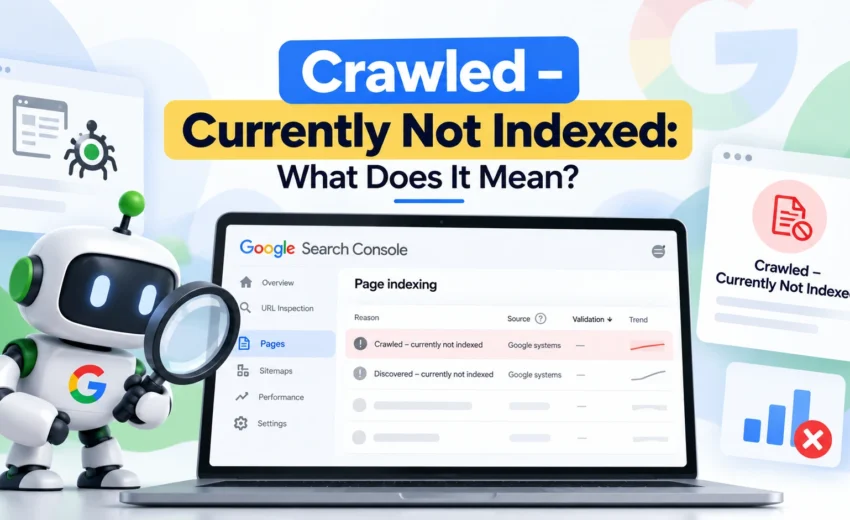
“Crawled – currently not indexed.”
At first, this message can be confusing. Google has already crawled the page, so why isn’t the page appearing in Google Search?
The important thing to understand is that being crawled and being indexed are two different things.
“Crawled – currently not indexed” means Google has crawled the URL but has not included it in its search index at that time. This does not necessarily mean that there is a technical error on your website.
In many cases, the next step is not to keep requesting indexing. Instead, you should understand why Google may not consider the page useful or necessary to include in the index.
What Does “Crawled – Currently Not Indexed” Mean?
When Googlebot crawls a page, it retrieves and processes the URL.
However, crawling does not guarantee indexing.
A page can be successfully crawled and still remain outside Google’s index.
So, the status essentially means:
Google visited the page, but the page has not been selected for indexing at this time.
Google can change its decision later. A page that is currently not indexed may be indexed after Google recrawls and reassesses it.
This is also different from “Discovered – currently not indexed.” In that case, Google knows about the URL but has not crawled it yet.
Crawling vs Indexing
These two terms are often confused.
Crawling
Crawling is the process of Google discovering and fetching URLs from websites.
Indexing
Indexing is the process of analyzing a crawled page and deciding whether it should be stored in Google’s search index.
Only after a page is indexed can it normally be considered for Google’s search results.
So, if Search Console says “Crawled – currently not indexed,” the crawling stage has already happened.
The issue is at the indexing stage.
Is “Crawled – Currently Not Indexed” a Technical SEO Error?
Not necessarily.
This is one of the most important things to understand about this status.
A page being in this category does not automatically mean that something is broken.
Google may crawl a page correctly and still decide not to index it.
This can happen for different reasons, including content that provides little unique value, pages that are very similar to other URLs, or pages that don’t appear useful enough to include in the search index.
Google’s Search Central guidance also emphasizes that crawling and indexing are separate processes and that Google does not guarantee that every URL will be indexed.
So instead of treating the status as an error that must immediately be “fixed,” it is better to investigate the affected pages and look for patterns.
Why Is Your Page Not Indexed?
There isn’t one universal reason.
Google makes indexing decisions using many signals, and Search Console doesn’t always tell you the exact reason behind an individual indexing decision.
However, several areas are worth checking.
1. The Content May Not Provide Enough Unique Value
One of the first things to review is the actual content on the page.
Ask yourself:
- Does the page provide useful information?
- Does it answer a clear user need?
- Does it add something valuable that other pages don’t?
- Is the content specific enough for its intended topic?
- Does it feel complete rather than simply created to target a keyword?
A page can be technically accessible and still not provide enough value for Google to choose it for indexing.
This is particularly important when many pages on a website are created from similar templates or cover very similar topics.
2. The Page May Be Too Similar to Another Page
Duplicate or highly similar content is another area worth checking.
Google may identify multiple URLs as substantially similar and select one URL as the canonical version.
Google explains that canonicalization is the process of selecting the representative URL from a group of duplicate or very similar pages.
Check whether the affected page is unnecessarily similar to another page on your website.
If two URLs serve essentially the same purpose, consider whether both pages really need to exist.
3. Check the Canonical URL
Look at the page’s canonical tag.
Make sure the canonical points to the URL you actually want Google to treat as the preferred version.
Also check the Google-selected canonical in Search Console when available.
Google may choose a different canonical URL from the one you specified because a canonical declaration is a signal, not an absolute rule.
If Google considers another URL to be the more representative version, the page you’re investigating may not be indexed separately.
4. The Page May Have Weak Internal Links
Internal links help search engines understand the structure and relationships between pages.
Check whether the affected page is properly connected to relevant sections of your website.
Important pages shouldn’t be isolated unnecessarily.
This doesn’t mean adding dozens of internal links. A few relevant links from appropriate pages can provide useful context and make the page easier to discover and navigate.
5. The Page May Be New
If the page was published recently, there may simply not be enough time for Google to fully process it.
Crawling and indexing can take time, and Google does not guarantee a specific indexing timeframe.
Before making major changes to a brand-new page, make sure the basic technical setup is correct and give Google time to reassess it.
6. The Page May Not Match the Search Intent Well
Consider whether the page actually satisfies the purpose behind the searches you’re targeting.
A page can contain the target keyword but still fail to provide a useful answer.
Instead of focusing only on keyword usage, review:
- What users are looking for
- What the page actually provides
- Whether the content is specific enough
- Whether the page is substantially different from competing or related pages
The goal should be to make the page useful, not simply optimized around a keyword.
How to Check the Page in Google Search Console
Google Search Console is the first place to investigate the status.
Open URL Inspection and enter the affected URL.
Review the information available for the page, including:
- Indexing status
- Crawl information
- User-declared canonical
- Google-selected canonical
- Referring pages, where available
- Page accessibility
You can also use the live test to check the current version of the URL.
This helps you determine whether there is an obvious technical issue or whether the page simply needs improvement.
What Should You Do When a Page Is Not Indexed?
There isn’t a single fix that works for every page.
Start by identifying the reason the page may not deserve, or may not yet be ready for, separate indexing.
Improve the Content
If the page is thin, outdated, generic, or doesn’t provide enough unique value, improve the actual content.
Don’t simply add more words.
Make the page more useful.
Strengthen Internal Linking
Add relevant internal links from pages where the connection makes sense.
This can improve navigation and help search engines understand how the page fits into the wider site.
Review Similar Pages
If another URL covers almost the same topic, decide whether both pages are necessary.
Sometimes the better solution is to improve one page and consolidate the other rather than trying to get both indexed.
Check Canonicalization
Make sure the canonical setup reflects the URL you actually want to be treated as the main version.
If another URL is genuinely the preferred version, don’t try to force both URLs into the index.
Check Technical Accessibility
Make sure the page:
- Returns a successful HTTP response
- Isn’t accidentally marked noindex
- Isn’t blocked from crawling unnecessarily
- Can be accessed normally
- Has important content available to search engines
These checks are especially important if many pages across the website share the same indexing status.
Should You Request Indexing Again?
You can request indexing through the URL Inspection tool after making meaningful changes.
However, repeatedly requesting indexing without changing anything isn’t a reliable solution.
If Google has already crawled the page and decided not to index it, repeatedly asking Google to crawl the same unchanged page doesn’t address the underlying reason.
It’s better to improve the page or fix the relevant technical issue first, then allow Google to recrawl it.
Should You Delete Pages Marked “Crawled – Currently Not Indexed”?
No.
This status alone is not a reason to delete a page.
Before removing anything, consider:
- Is the page useful?
- Does it receive traffic?
- Does it have backlinks?
- Does it support an important service or product?
- Does it target a valuable topic?
- Does it contain unique information?
- Is it needed for users even if it doesn’t currently receive organic traffic?
Some pages may be worth keeping and improving.
Others may be better consolidated or removed.
Base the decision on the page’s purpose and value, not just its Search Console status.
What About “Discovered – Currently Not Indexed”?
Don’t confuse this status with “Crawled – currently not indexed.”
With Discovered – currently not indexed, Google knows about the URL but hasn’t crawled it yet.
With Crawled – currently not indexed, Google has already crawled the URL but hasn’t indexed it at that time.
This difference matters because the diagnosis is different.
For a discovered-but-not-crawled page, you may want to investigate discovery, internal links, sitemap signals, and broader crawling patterns.
For a crawled-but-not-indexed page, you should pay more attention to the page itself, its uniqueness, relevance, canonicalization, and overall value.
Common Mistakes to Avoid
Focusing Only on Technical Problems
Not every indexing issue is caused by robots.txt, canonical tags, or server errors.
Sometimes the page is simply not providing enough unique value to justify separate indexing.
Adding More Keywords
Adding the target keyword repeatedly won’t automatically make Google index a page.
Focus on making the page genuinely useful and relevant.
Creating Multiple Similar Pages
Publishing several pages targeting almost the same topic can make your website less focused.
Before creating another page, check whether an existing page could serve the purpose better.
Repeatedly Requesting Indexing
Don’t treat the Request Indexing button as a solution by itself.
Fix the underlying issue first.
Deleting Pages Too Quickly
A page that isn’t indexed today may still have business or informational value.
Review it before deciding to remove it.
Final Thoughts
“Crawled – currently not indexed” doesn’t automatically mean that your website has a technical SEO problem.
It means Google has crawled the URL but hasn’t included it in the index at that time.
The right response is to investigate, not panic.
Check the page’s content, uniqueness, search intent, internal links, canonical signals, and technical accessibility. If the page provides genuine value, make sure that value is clear and that the page is properly connected to the rest of the website.
Most importantly, don’t judge the entire website based on one URL.
Look for patterns.
If a few low-priority pages are not indexed, that may be normal. If a large number of important pages remain in this status, that’s when a deeper SEO audit is worth doing.
The goal isn’t to force every URL into Google’s index.
The goal is to make sure the pages that deserve to be found are useful, accessible, clearly connected, and technically ready for search engines to understand and index.

Alfik P S
hi

October 7, 2026