You bring people to your website. But most of them leave without buying anything or filling out a form. That’s frustrating.
The good news? You don’t always need more traffic. You just need to make your landing page work better.
That’s what Conversion Rate Optimization (CRO) is about. It helps you turn more of your existing visitors into customers.
What Is CRO in Plain Words
CRO means making small changes to your landing page to get more people to do what you want them to. That could be subscribing to a newsletter, booking a call, or buying a product.
Here’s the simple formula:
Conversion rate = (people who took action ÷ total visitors) × 100
If 100 people visit your page and 3 fill out a form, your conversion rate is 3%. CRO helps you turn that 3% into 5% or 10% without spending more on ads.
Why This Matters
Paid ads are expensive. If your landing page loses most of your visitors, you’re throwing money away.
A better landing page helps you:
- Get more leads from the same traffic
- Lower your ad costs
- Make your marketing budget work harder
You don’t need thousands of new visitors. You need to keep more of the ones you already have.
Landing Page vs. Homepage – Know the Difference
A lot of people confuse the two. Your homepage is like your storefront – it introduces your brand, has navigation menus, and gives visitors multiple options to explore.
Your landing page is different. It focuses on one goal only. There’s no menu, no links to other pages, no distractions. You send people here from an ad or an email, and you want them to do just one thing: fill out a form, buy a product, or sign up.
If you send ad traffic to your homepage, you’ll lose most of it. Always use a dedicated landing page for campaigns.
What a Good Landing Page Needs
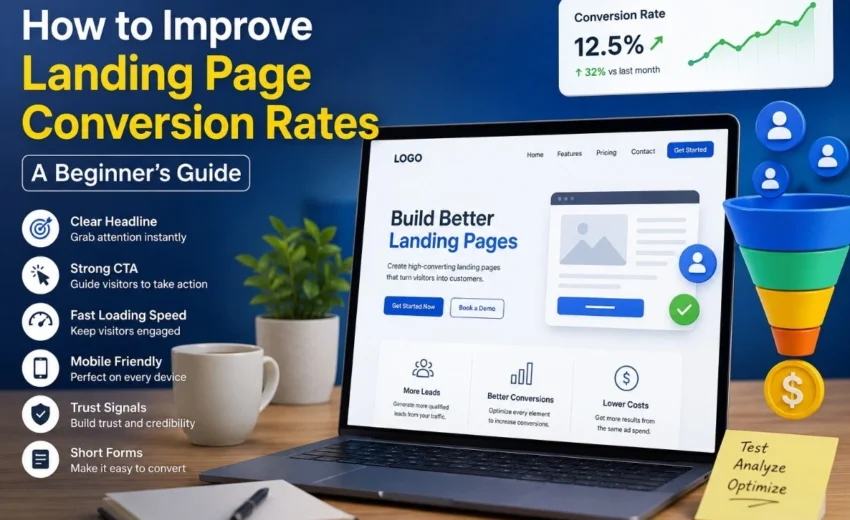
You don’t need fancy design or long sales copy. Focus on these basics.
1. A Clear Headline
When someone lands on your page, they should know what you offer in under five seconds. No clever phrases. No mystery.
Example: “Get Your Tax Refund in 5 Days”
Not: “We Revolutionize Financial Workflows”
2. Use One Clear Call‑to‑Action (CTA)
Don’t give people too many choices. Pick one main action you want them to take. Make that button obvious.
Use action words like “Get Started”, “Download Free Guide”, or “Book a Call”. Avoid weak words like “Submit” or “Click Here”.
3. Fast Loading Speed
Nobody waits for a slow page. If your page takes more than three seconds to load, people leave.
Compress your images, remove unnecessary plugins, and use a fast hosting service. You can check your speed for free with Google PageSpeed Insights.
4. Works Well on Mobile
Most people browse on their phones. If your landing page looks tiny or buttons are hard to tap, you lose them.
Make sure text is readable without zooming. Buttons should be big enough to tap with a thumb. Keep forms short.
5. Trust Signals
People need a reason to trust you. Add a few customer reviews, ratings, or logos of companies you’ve worked with. Even one good testimonial near your button helps.
6. Short Forms
Long forms scare people off. Only ask for what you really need. Name and email are often enough. You can ask for more details later, after they’ve said yes.
Common CRO Metrics You Should Track
You can’t improve what you don’t measure. Keep an eye on these numbers:
- Conversion rate – The percentage of visitors who complete your goal.
- Bounce rate – The percentage of people who leave without doing anything. A high bounce rate (above 70% on a landing page) usually means your headline or page speed is a problem.
- Exit rate – Where people leave your page. If most leave before reaching your CTA button, move the button higher.
- Form abandonment – How many start filling out your form but never finish? Long forms or confusing questions are often the cause.
You can track most of these with free tools like Google Analytics, Microsoft Clarity, or Hotjar.
Why Bounce Rate Matters for Landing Pages
Bounce rate is especially important for landing pages. If someone clicks your ad, lands on your page, and immediately hits the back button, that’s a bounce.
A high bounce rate tells you that your landing page doesn’t match what your ad promised. Maybe your headline is confusing. Maybe the page loads too slowly. Or maybe it looks bad on mobile.
Fix those issues first before trying any advanced tests.
Best CRO Tools (Simple and Free to Start)
You don’t need expensive software to improve conversions. Start with these:
- Google Analytics – Tracks conversions, bounce rate, and where your traffic comes from.
- Microsoft Clarity – Free heatmaps and session recordings. Shows you exactly where people click and scroll.
- Hotjar – Another free option for heatmaps and feedback polls.
- Google PageSpeed Insights – Checks your loading speed and tells you what to fix.
Once you’re comfortable, you can try paid tools like Unbounce or VWO for A/B testing.
How to Know What to Fix
Before you change anything, find out what’s wrong. Use Microsoft Clarity or Hotjar to watch real visitor sessions.
These tools show you:
- Where people click (and what they ignore)
- How far do they scroll down the page
- Where do they stop or leave
If you see that nobody reaches your form, move the form higher on the page. If people click on something that isn’t a link, fix that.
Don’t guess. Use real data.
Test Small Changes First
You don’t need to redesign everything. Change one thing at a time and see what happens.
Try a different headline. Change the color of your button. Shorten your form from four fields to two.
Run the test for at least one or two weeks. Keep the version that gets more conversions. Then test something else.
Small improvements add up over time.
Avoid These Common Mistakes
Too much text. Long paragraphs overwhelm visitors. Keep it short and simple.
Hidden CTA. If your button is at the very bottom of a long page, many people never see it. Put it higher up.
Slow images. Large image files slow down your page. Compress them first.
Not checking mobile responsiveness. Always open your landing page on a real phone before publishing.
Missing trust signals. No reviews or testimonials make you look less credible.
Sending ad traffic to your homepage. That rarely works. Build a dedicated landing page for each campaign instead.
A Quick Checklist Before You Publish
- Headline says exactly what you offer
- Only one clear call‑to‑action (CTA) button
- Page loads fast (check with Google PageSpeed Insights)
- Looks good and works well on mobile
- At least one review, testimonial, or trust badge
- Short form (name + email is enough)
- No navigation menu to distract people
- Privacy notice next to your form (for trust and compliance)
Final Thought
Conversion Rate Optimization is not magic. It’s just fixing what’s broken and testing small changes over time.
You don’t need a big budget or a team of experts. Start with one landing page that already gets traffic. Pick one thing from this guide and improve it. Measure the result.
Over weeks and months, those small wins add up. More leads, more sales, less wasted ad spend.
That’s the smart way to grow.
Alfik P S
hi